
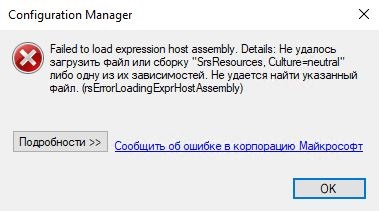
Recently, we performed a migration of the SCCM database from Microsoft SQL Server 2016 to SQL Server 2019. As part of the migration process, it was also necessary to upgrade SQL Server Reporting Services (SSRS), which is used by the SCCM Reporting Services Point role. Overall, the migration completed successfully and followed the documented procedure….
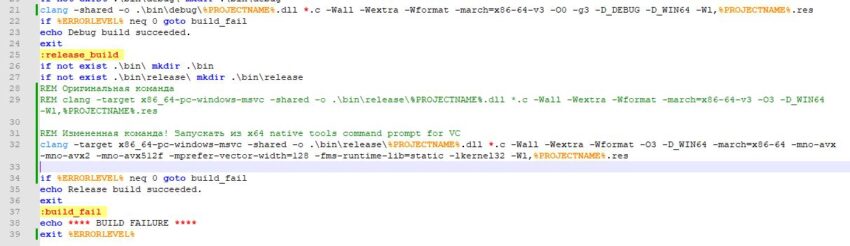
Problem Using PassFiltEx on Older CPUs
For quite a long time we have been using the PassFiltEx library for one of our customers to prevent users from setting weak passwords (the library checks passwords against blacklist dictionaries). Recently we needed to update the library and encountered a problem: on one of the domain controllers, after updating the library, the system started…

How to remove attachments from old calendar events in Exchange using a script
Another interesting task came up, which is a continuation of one of the previous ones. It was necessary to create a script that would remove attachments from old past meetings. The script is based on the same approach as before — attachments will be removed using EWS. Accordingly, the account running the script must have…
How to download and install Office 2024 LTSC
An example of how to download and install Office 2024 LTSC, Visio, Project and Skype for Business. You can view the list of product codes here. Configuration options are available here. If it complains that it cannot download, you can try doing this: I chose TSForge from the menu.
Analyzing SMTP Logs in Microsoft Exchange with PowerShell
Some time ago, it became necessary to significantly modify the default Microsoft Exchange 2016 connectors related to authentication. After making these changes, it was essential to ensure they were functioning correctly and identify potentially problematic clients. To achieve this, I created a small script to analyze logs from all Exchange servers in the organization. I decided to save it here, as it can be useful to have an example of large-scale data collection from multiple servers at hand.
How to Manage Roles in Exchange: Useful Commands and Instructions
Sometimes, it’s necessary to modify roles in Exchange—for instance, to add or remove the ability to execute certain cmdlets for specific user groups. This article provides examples of commonly used commands that can serve as a handy reference, saving you the trouble of navigating through various sections of Microsoft’s documentation. Retrieving All Management Roles with…
How to Find Emails in Exchange by Keyword in All Mailboxes
Sometimes there’s a need to find an email in Exchange by keyword, but it’s unclear in which mailboxes it may be located. In such cases, you can perform a search across all mailboxes. This guide will show you how to do this, as well as how to set up administrator permissions for the search. 1….
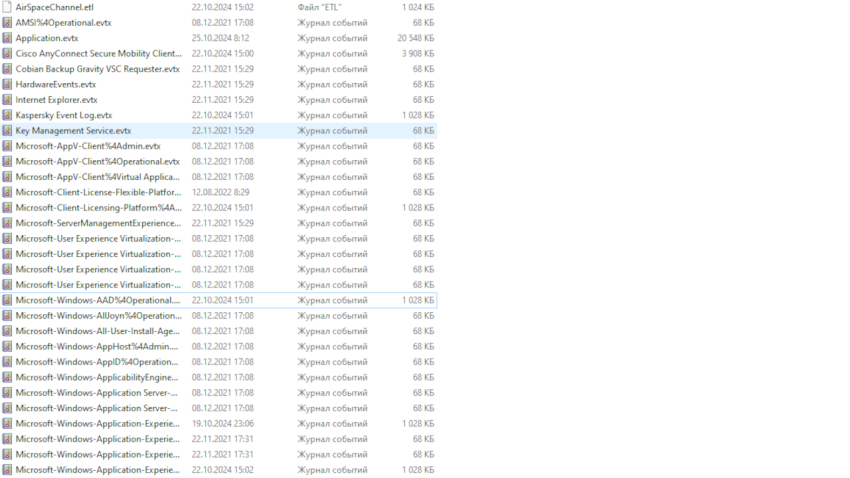
How to Combine All Windows Logs into One File: A Simple Guide
When diagnosing issues on Windows, you may need to analyze multiple event log files at once. Reviewing each file individually can take a lot of time. In this article, we’ll explain how to combine all Windows logs into one file to make it easier to find the information you need. Why Is Combining Windows Logs…

How to Check Password Expiry Date in Active Directory
In this note, we’ll look at the command to check the password expiry date in Active Directory (AD). PowerShell Command to Check Password Expiry Date To find out the password expiry date, use the following PowerShell command: Replace username with the desired user name. Why net user Might Show Incorrect Date Many are used to…

Automated password change of the account in the Windows Task Scheduler
When the need arises to change the password of the service account, on behalf of which tasks are operated in the Windows Task Scheduler, especially if there are many tasks, you might want to simplify this process. In this short note, I will show you how to do it quickly and easily. A Simple Solution…