
Stumbling upon an old laptop battery pack during a cleanup, I found it to be a treasure trove. After extracting its contents, I discovered six LGDBC11865 batteries, belonging to the popular 18650 format. Interestingly, while my Basen BS2 charger detected three of them without a hitch, the other trio was in a deep sleep, showing a state of deep discharge.
In this article, I’m excited to share a straightforward method, devoid of any fancy chargers or professional tools, that can breathe some life into these dormant batteries, making them recognizable by your charger.
Spotting the Sleepers: The Challenge with Deep Discharge
An initial voltage check revealed that three batteries were lingering at a rather low 2.15V. What’s more daunting?

My trusty charger seemed to ignore them entirely.

The DIY Revival Kit
To jumpstart these sleepy cells, you’ll need:
- A USB Cable – Preferably one you no longer use. Maintain the USB end intact and strip the black and red wires on the opposite side.
- A Multimeter – This is essential for keeping tabs on the voltage.
- A Regular Charger – A 5V output device (I used one with a 1A rating, similar to many phone chargers) will do the trick.
Note: Proceed at your own risk, and always prioritize safety.
The Revival Process
- Connect your USB cable to the power source.
- Attach the red (positive) wire to the battery’s positive end, and the black (negative) to its negative counterpart.
- With your multimeter in voltage-check mode, monitor the voltage. Your goal is to achieve a reading of around 3.5V, though even 3V should suffice.
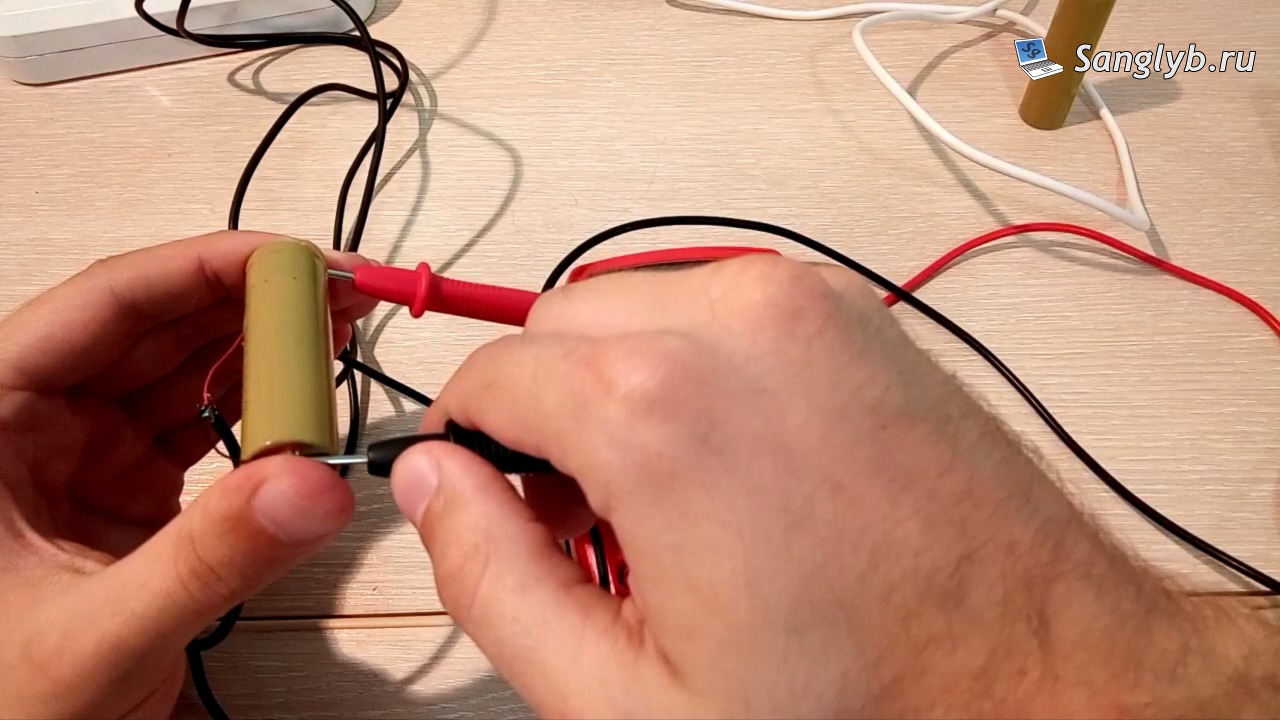
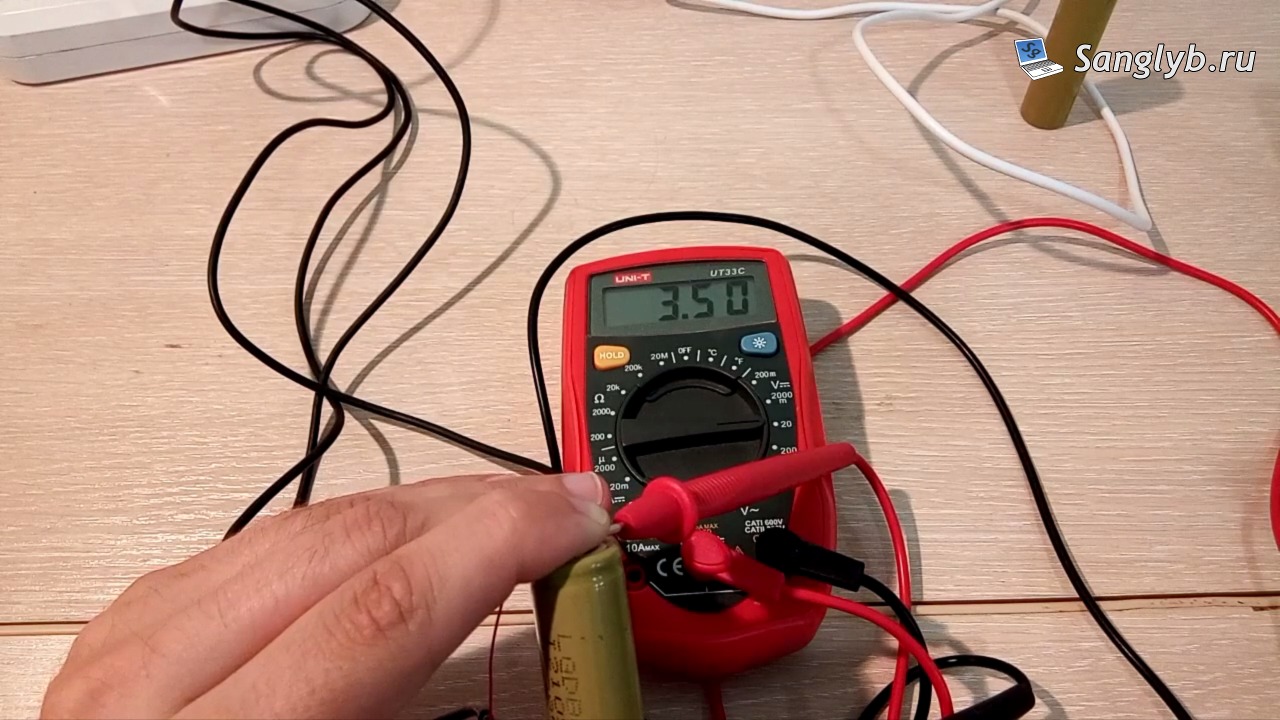
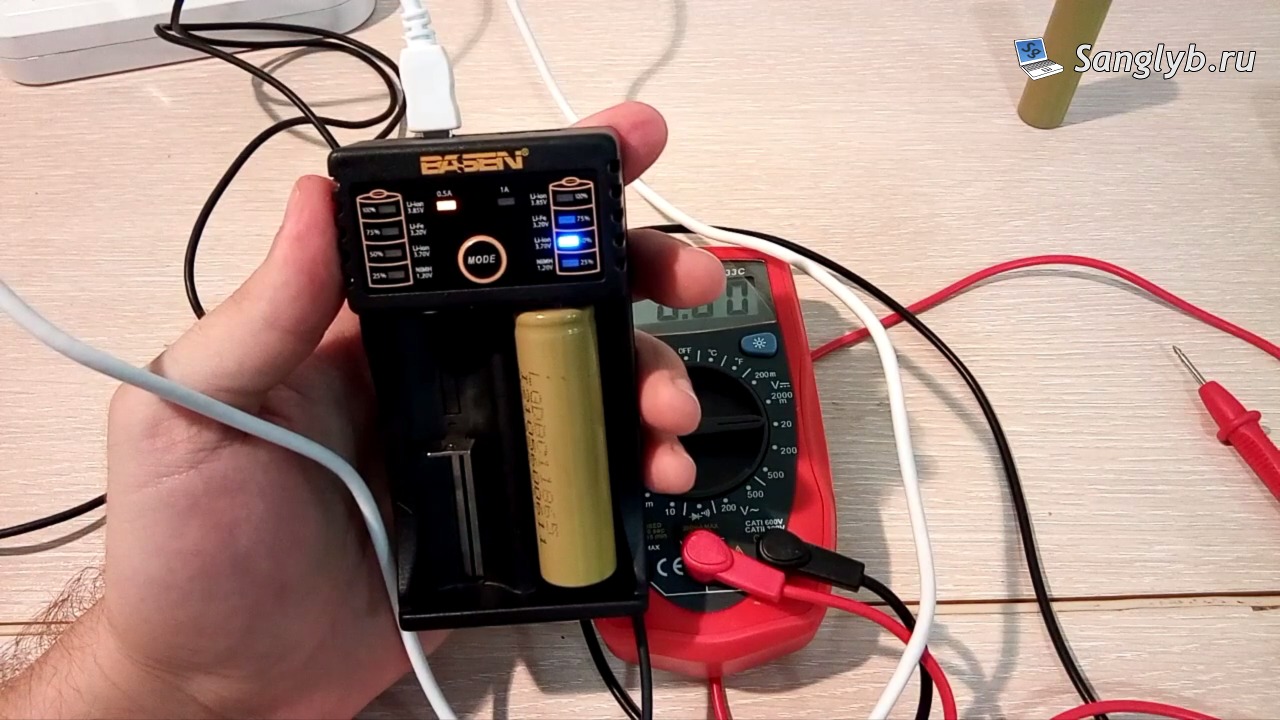
Once you reach the desired voltage, unplug and test the battery with your regular charger. If all has gone well, your charger should now detect the battery and begin its charging routine.
Wrapping Up
Reviving old laptop batteries isn’t just about sustainability; it’s also about the joy of giving life to something once thought unusable. Remember, always prioritize safety when working with electronics, and happy charging!