
Experiencing challenges with Plex Media Server on your LG Smart TV? You’re not alone. Recently, I encountered an issue where the Plex Media Server didn’t function with LG Smart TV via Smart Share on DLNA. Discover the quick solution I found to resolve this frustrating problem.
The Problem with Plex and LG Smart TV
The main hurdle was that Plex, by default, was requiring an authentication process. An essential detail I found out was that Smart Share wasn’t equipped to provide this authentication. However, once I made a simple tweak allowing access without authentication for my local network, voilà! It all synced seamlessly.
The Quick Fix: Disabling Authentication
For those unfamiliar, let’s break down the steps to get your Plex working smoothly with your LG TV:
Accessing Server Settings:
- First, head over to your Plex server settings.
- Navigate to the network settings section.
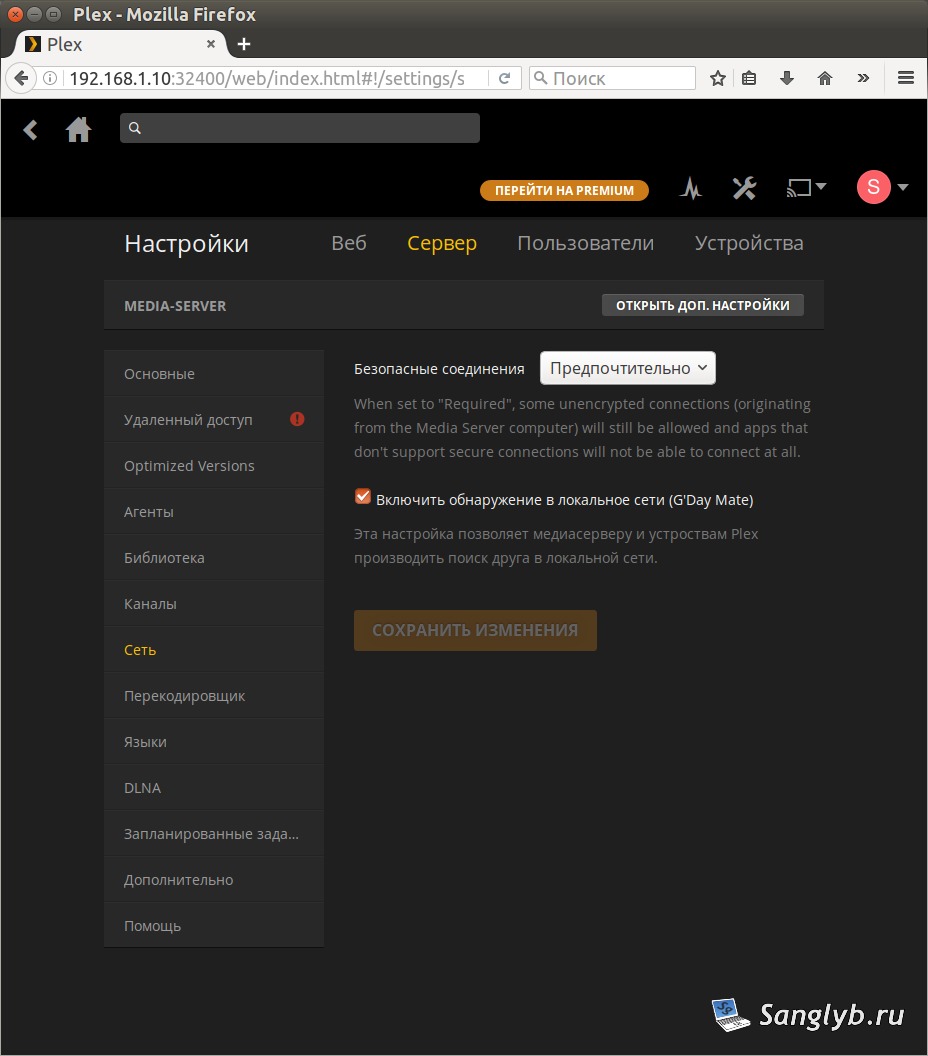
Modifying Network Settings:
- Spot the button labeled “open advanced settings” and give it a click.
- Scroll down until you find the field “List of IP addresses and networks that are allowed without auth.”
- Here, input your network’s information or specific addresses, keeping them separated by commas. In my situation, I granted access without authentication to my whole network, specifically (192.168.1.0/24).
- Finalize by clicking “save settings.”
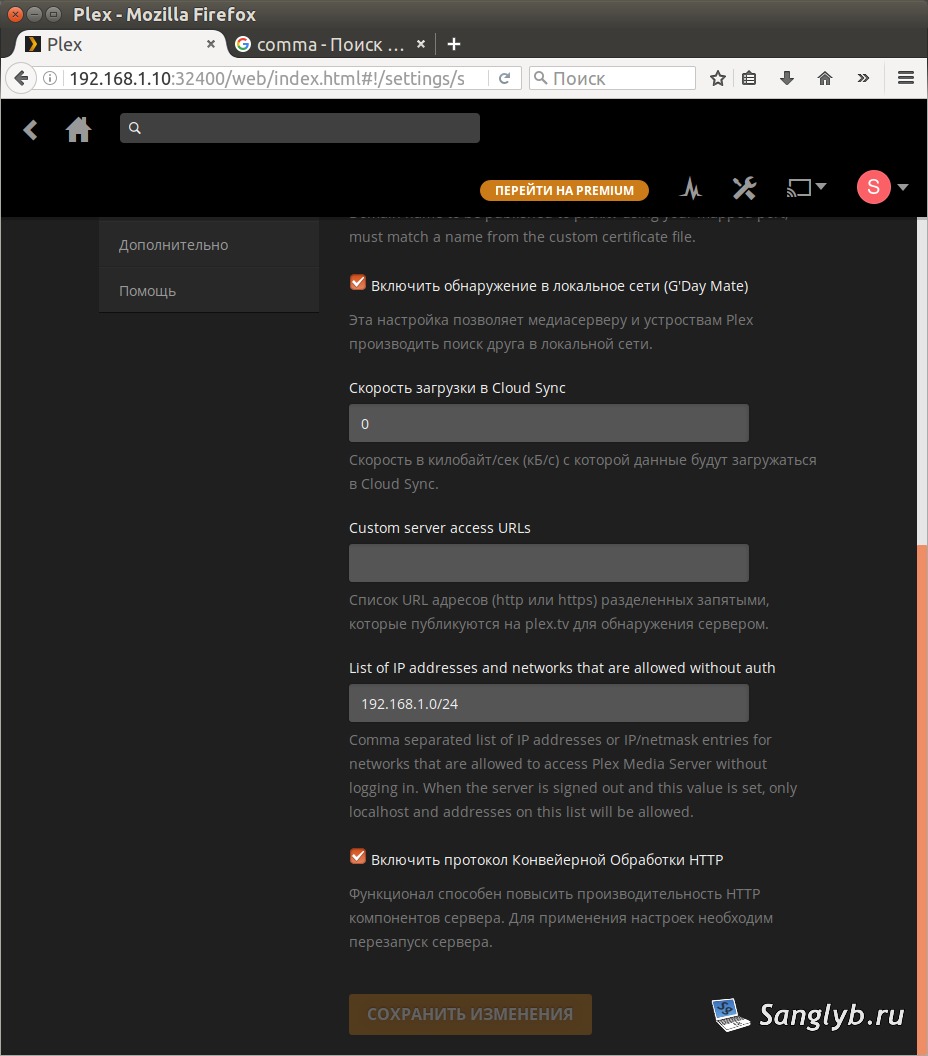
A bonus? The settings take effect immediately, eliminating the need for a server restart. Now, you’re all set to connect your LG TV using Smart Share via DLNA. It should effortlessly link up, just like it did for me.
I sincerely hope this guide simplifies your Plex-LG TV experience. If it worked for you or if you have further questions, please share your thoughts in the comments below. For more tech solutions and tutorials, be sure to explore our blog.