
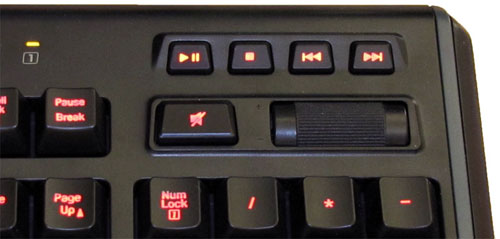
I came across an interesting addon for Firefox – media-keys. It allows you to control various players in the browser with the help of media keys on the keyboard, for example, music vkontakte, yandex music, youtube, etc. At what this addon works not only when the window you need to manage is not active, but…

Configuring Plex
In the last article I showed how you can install PlexMediaServer on Ubuntu. Today I will show you how to configure it. Enter the address in the browser – 127.0.0.1:32400/web or, if you are connecting from a remote computer, you need to change 127.0.0.1 to the server address. A window with the license agreement opens,…

How to install Plex media server and add Kinopoisk add-on to Ubuntu
There is such an excellent media server – Plex. The beauty of it is that he knows how to download information about files from such sites as kinopoisk, imdb, etc. Plus, it, unlike many other upnp/dlna servers, has a beautiful and convenient web interface, and you can throw ports and watch your collection of movies…
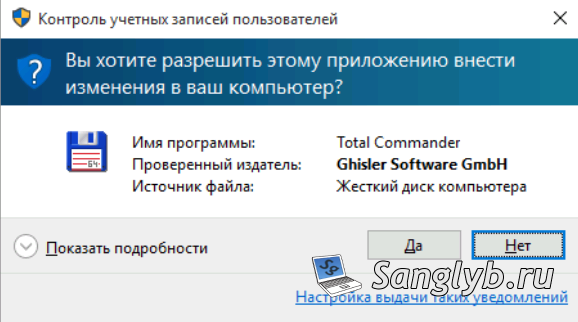
How to disable UAC in Windows
User Account Control (UAC) is when a computer needs administrator rights, it asks the user for permission, it looks something like this: You can disable UAC in several ways: 1) From the control panel: Go to the control panel, go to user accounts In the window that opens, click – change the settings for User…

How to disable automatic Windows update
Today I’ll show you how to disable automatic Windows update. I do not recommend this, but there are different situations. So, go to the control panel – Windows Update: We press the parameter setting, and in the drop-down menu we choose not to check for updates, click OK. Also, you can disable the updates through…
How to open all selected files in Total Commander
Sometimes it is necessary to open all selected files in Total Commander, for example, when searching by content, that would edit these files. To do this you need to add an icon to the toolbar total commander. To do this, right-click next to the icons and click Edit. In the window that opens, click Add,…

How to install Java 8 JDK, JRE in Ubuntu
This article will show you how to install proprietary JAVA 8 (JDK, JRE) in Ubuntu and Mint from the repositories. Add the necessary repositories and install Java: sudo add-apt-repository ppa:webupd8team/java sudo apt-get update sudo apt-get install oracle-java8-installer Let’s check the installed version of Java: java -version You can also set environment variables from this repository:…
Migrating sites from IIS7 to IIS8.5
Hello. I was given the next task – to migrate the sites that are hosted on Windows 2008 to Windows 2012R2. Difficulties turned out to be that every site revolves on a separate application pool, from an individual user whose password is not known. Sites are pretty much and almost all have different settings (isapi…
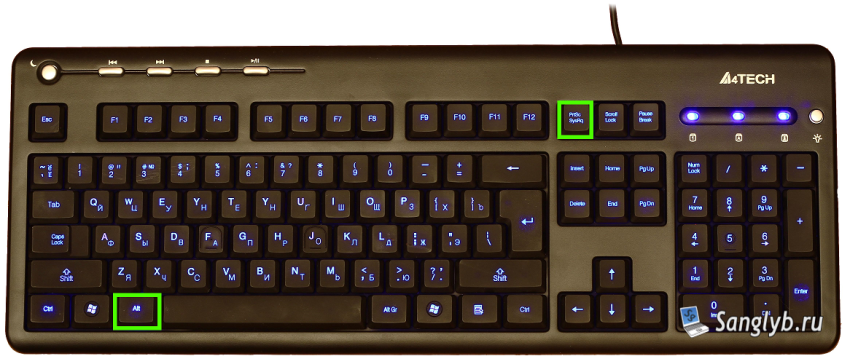
How to take a screenshot
I’ve found here that many people do not know how to make a screenshot on the computer. I decided to write how to do it. The procedure is simple to disgrace: in order to take a picture of the whole screen, you need to press the PrintScreen key on the keyboard. To make a screenshot…
How to disable the password when you exit Windows sleep mode
In the last article, I told you how you can remove the password when you log on to Windows. Today I’ll show you how you can turn off the password when you leave the sleep mode on computers running Windows. To do this, go to the control panel, go to the power menu, on the…