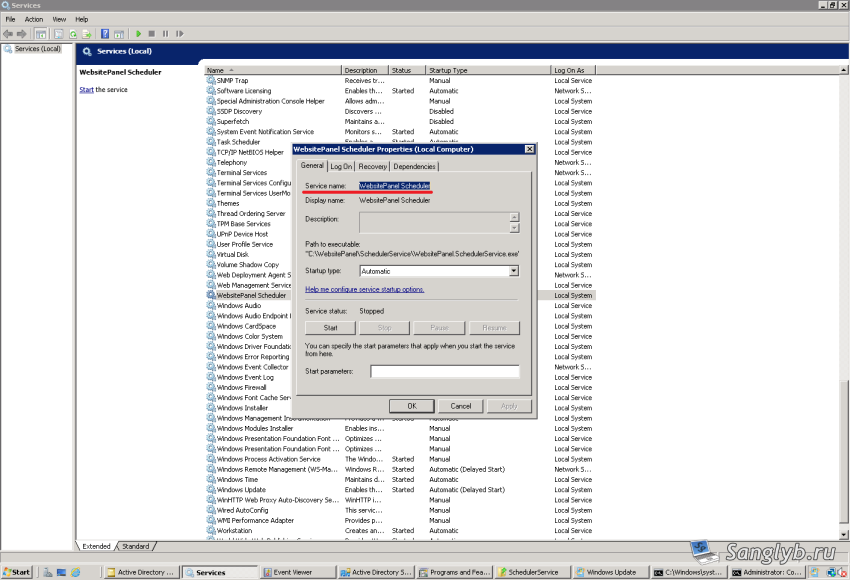
Sometimes it is necessary to remove this or that service in Windows OS, for this you need: Start the services.msc snap-in (win + r, type services.msc) and go to the properties of the required service, and see its name. After that, start the command line as administrator and type the command: sc delete "имя_службы"