
Skip to content
www.mytechnote.ru
Menu
  • Administration
    • Scripts
  • Equipment
    • Reviews
    • Instructions
  • Other
  • English
    • English
    • Русский
Menu

How to remove a service in Windows

Sometimes it is necessary to remove this or that service in Windows OS, for this you need:

Start the services.msc snap-in (win + r, type services.msc) and go to the properties of the required service, and see its name.
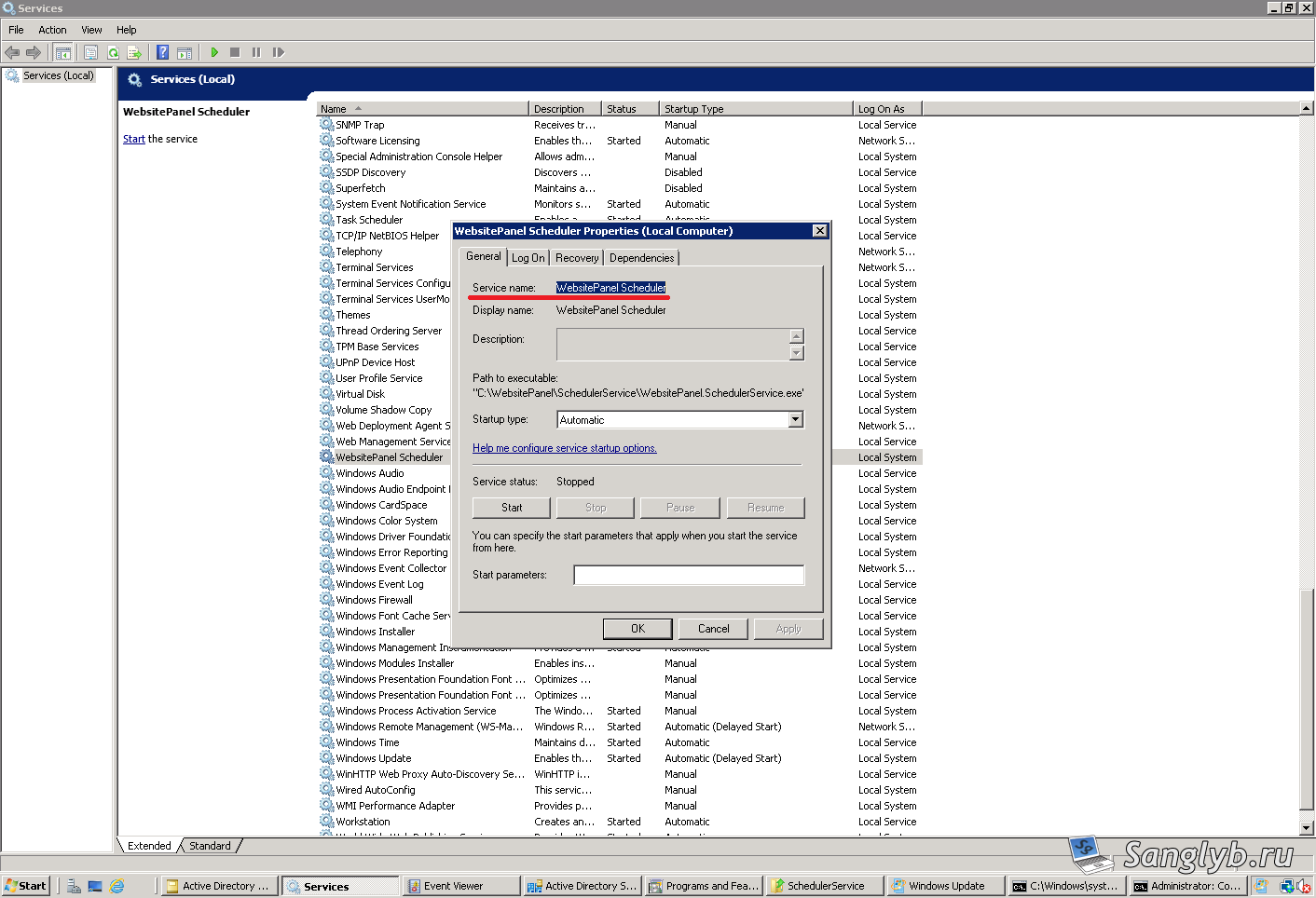
After that, start the command line as administrator and type the command:

sc delete "имя_службы"

Posted on 07.08.201730.05.2024 by sanglyb

Post navigation

← How to make a shared folder in linux, setting samba
Ubuntu network setup →

Leave a Reply Cancel reply

Your email address will not be published. Required fields are marked *

Подписывайтесь

Youtube
vk
telegram
github
twitter
rss
  • Форум
  • Об авторе
  • Поддержать автора

Популярные записи

Новые записи

  • How to Extend an LVM Partition in Linux
  • SCCM Reporting Errors After Migrating from SQL Server 2016 to 2019
  • Problem Using PassFiltEx on Older CPUs
  • How to remove attachments from old calendar events in Exchange using a script
  • How to download and install Office 2024 LTSC

Архивы

  • 2026 (3)
  • 2025 (5)
  • 2024 (7)
  • 2023 (30)
  • 2022 (4)
  • 2020 (17)
  • 2017 (82)
  • 2016 (5)
© 2015-2026 www.mytechnote.ru
Использование материалов сайта возможно только с разрешения владельца или обязательна индексируемая, прямая, передающая вес ссылка на материал.