
Want to watch online videos on your Smart TV without using your phone? While TvCast offers a convenient solution, there’s another method that might be more appealing.Stream Directly with Smart TV Apps
Yes, there are plenty of apps like Ivi, Megogo, and Kinozavr for your TV. However, they often charge for movies. Today, I’ll introduce you to a free method.
Introducing ForkPlayer: Stream Without Android Boxes
ForkPlayer is a unique program that adapts websites for Smart TV navigation. If you’re trying to watch movies online without the hassle of Android TV boxes, this is for you.
For guidance, visit the project’s website. The software supports numerous SmartTV brands. So even if your TV isn’t the 2012 Samsung Smart TV I demonstrate with, there are instructions tailored for you.
Setting Up ForkPlayer
- Access Smart Hub.
This is the central control for your Samsung TV.

- Logout and Login.
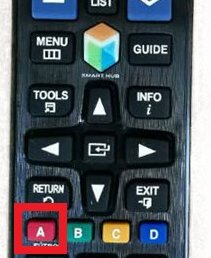
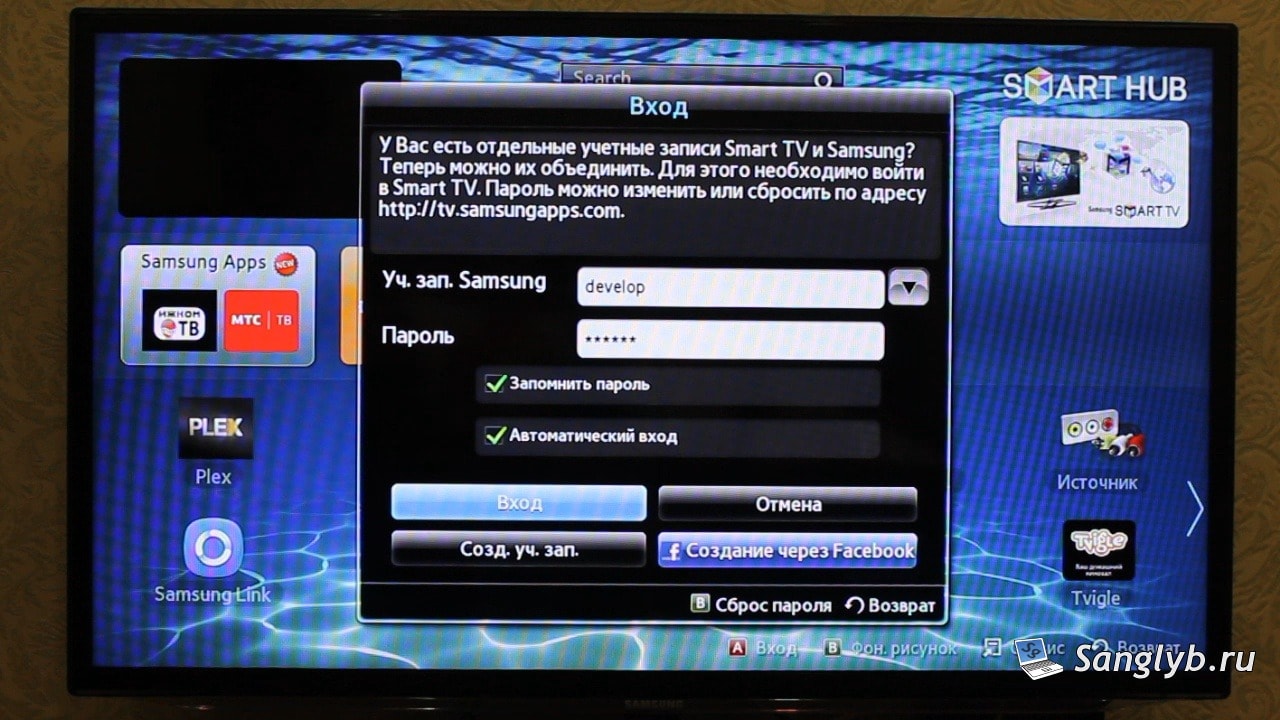
Press the red ‘A’ button twice.
Then, in the Samsung account field, type “develop” (password auto-fills).
- Navigate Settings.
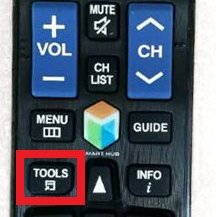
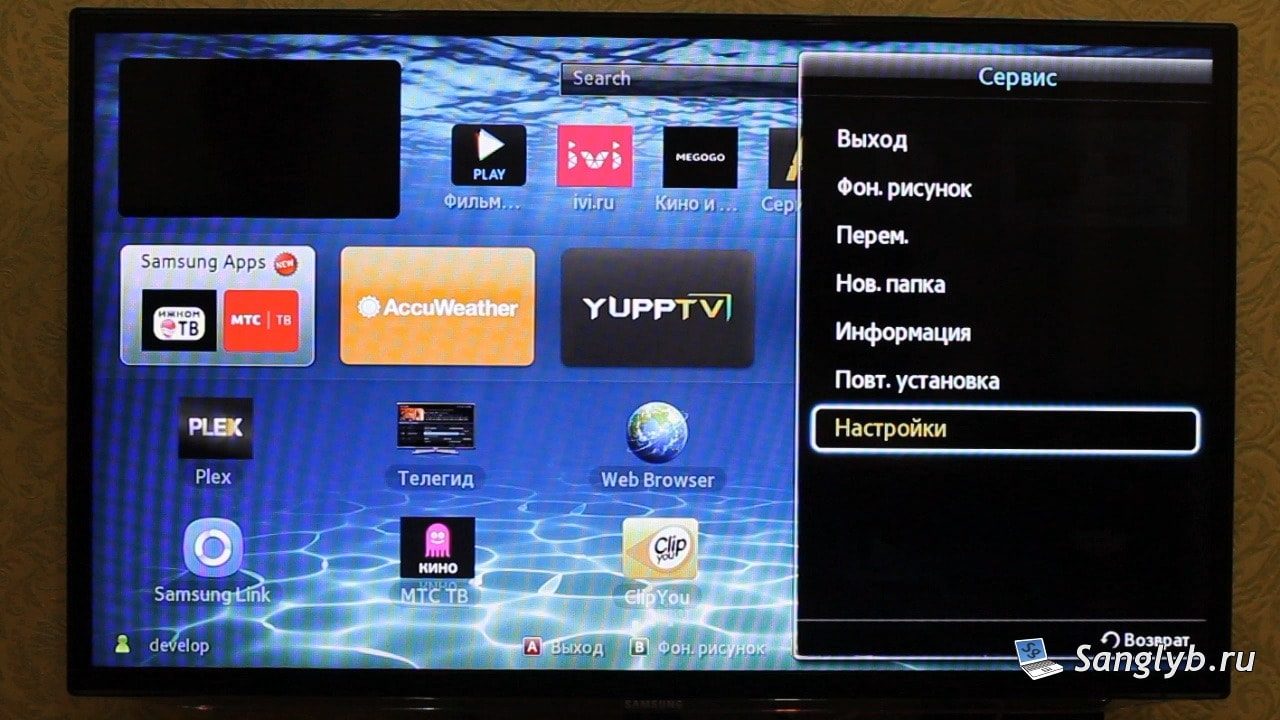
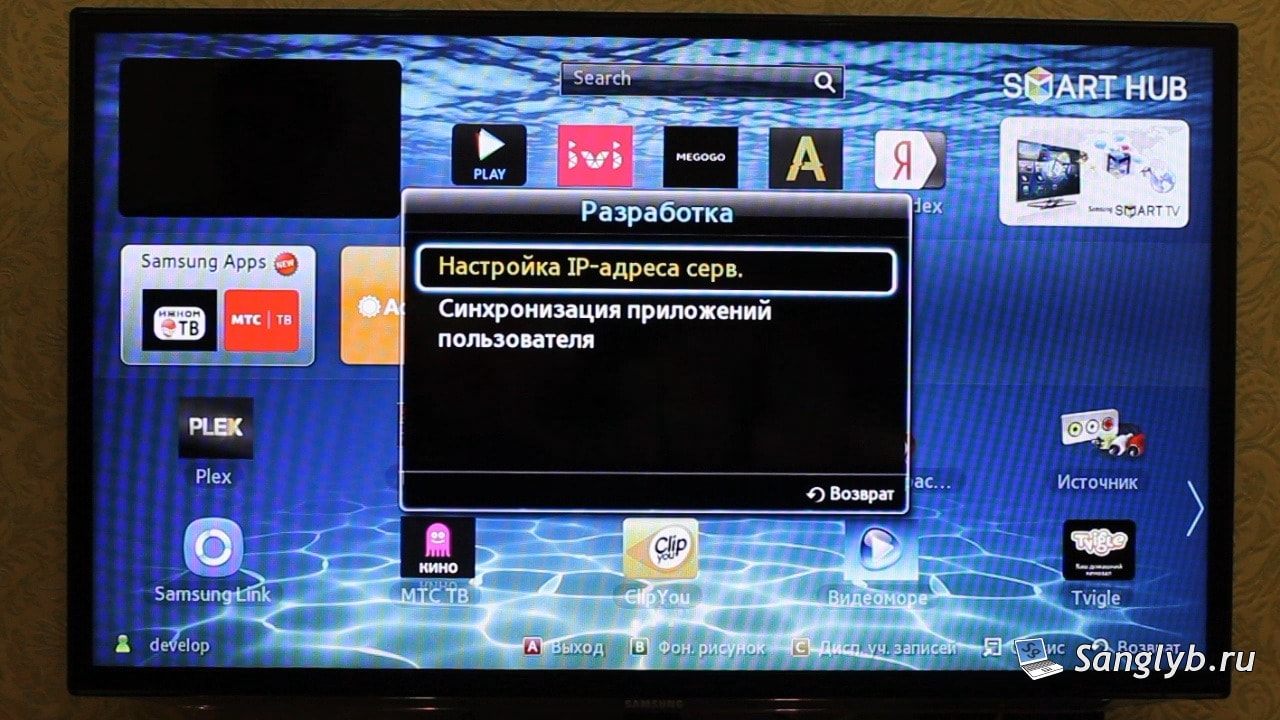
Use the “Tools” button on the remote, go to ‘Settings’ and then ‘Development’.

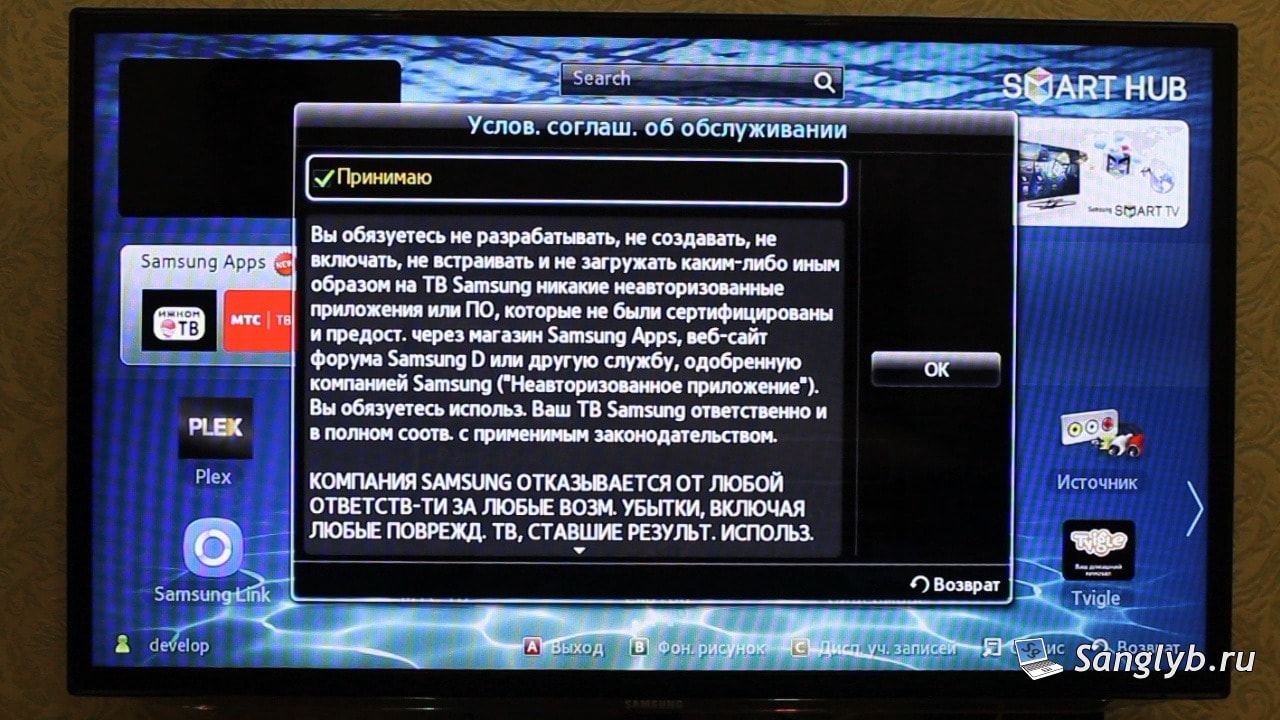
- Accept Terms & Update Server Address.
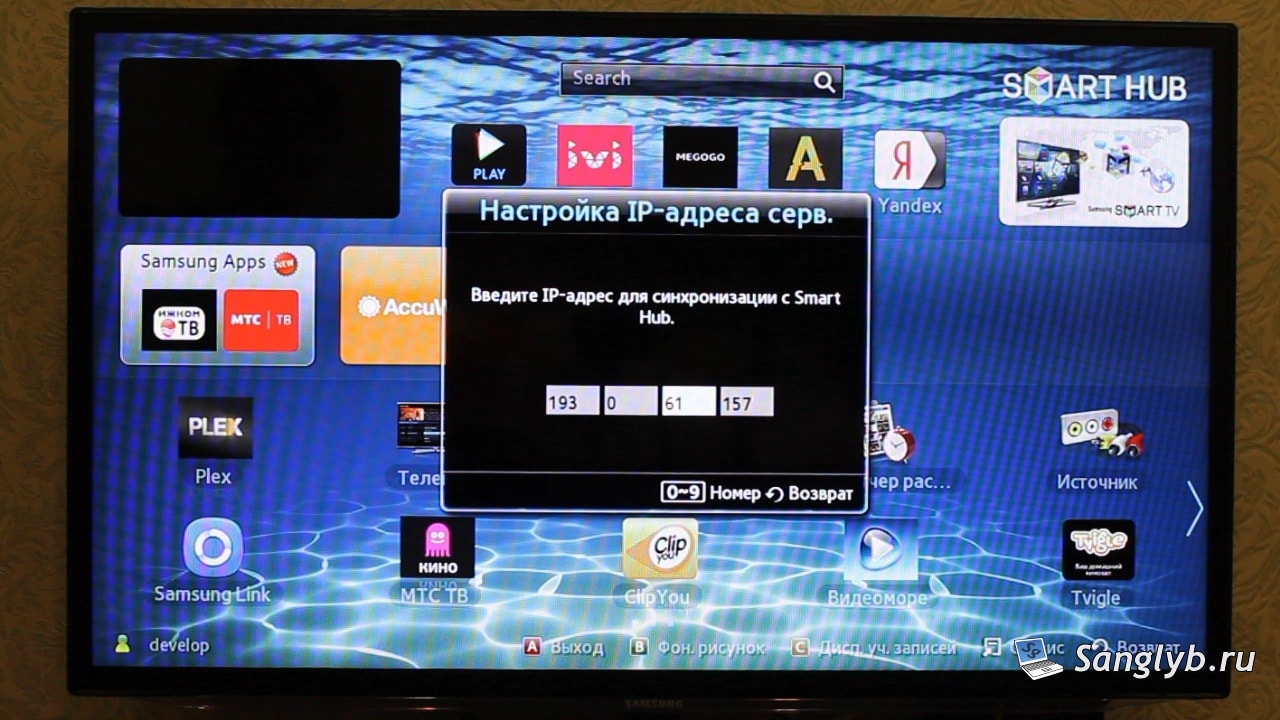
After accepting terms, select ‘Server IP Address Settings’ and input “193.0.61.157”.
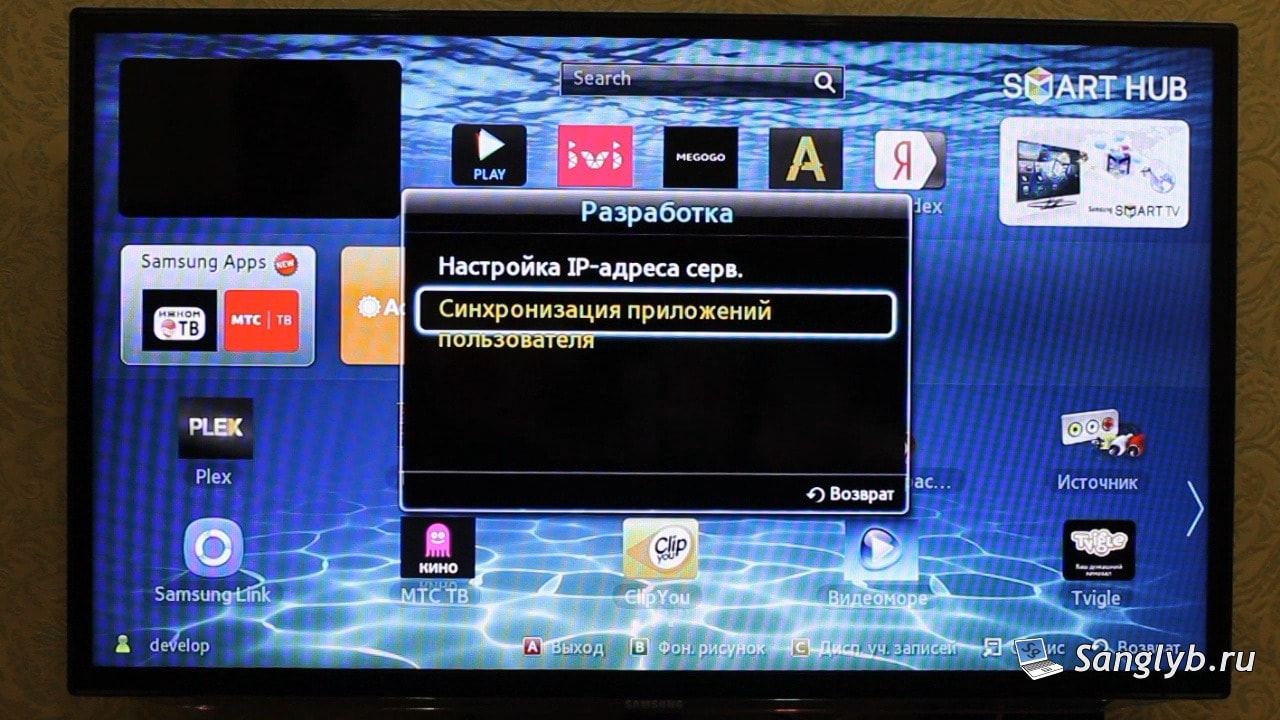
- Sync User Applications.
It might take minutes. Once done, restart SmartHub and you’ll spot the ForkPlayer icon.
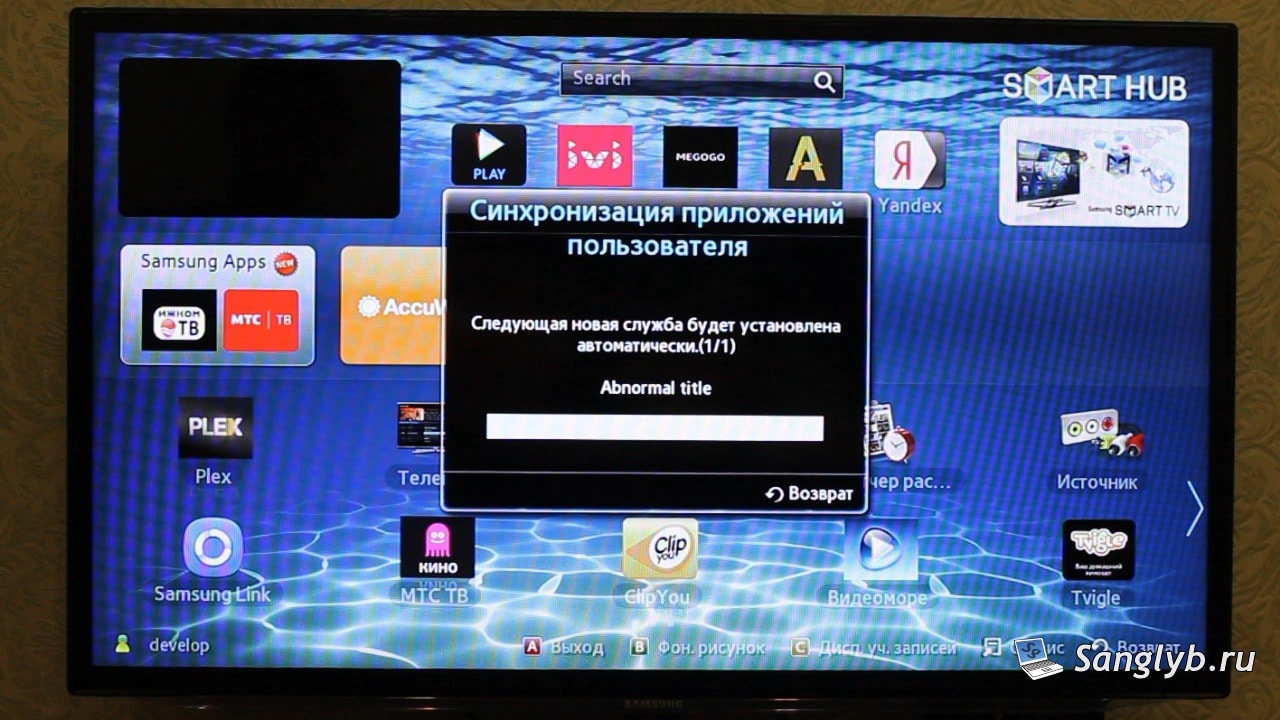

Now, it’s all set up. Simply search for a movie title and choose your favorite stream.
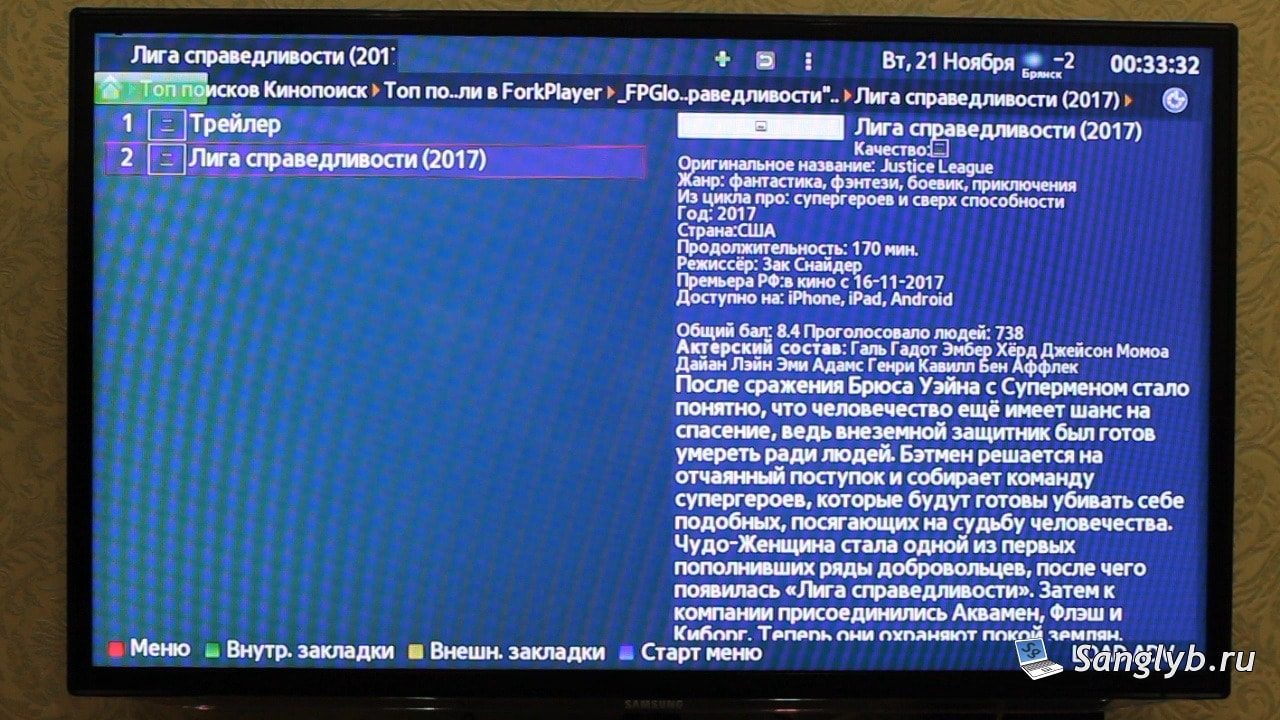

Diverse Streaming Options
With ForkPlayer, not only can you watch movies and TV series, but also videos from platforms like YouTube, vk.com, odnoklassniki.ru and so on.
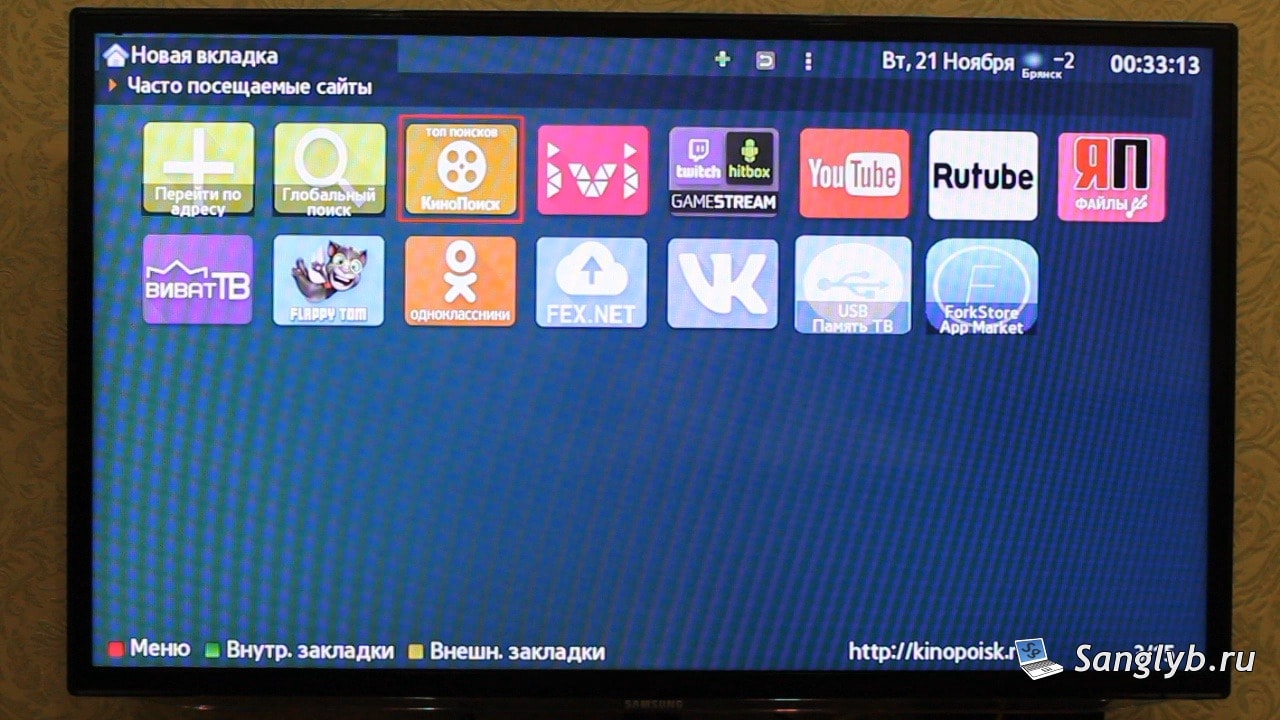
Sadly, I couldn’t get the Twitch application running. If anyone’s had success with this, do share in the comments!