
Having trouble with your Samsung Galaxy Tab 2 charging cable? It’s a common complaint; many users find the tablet’s charging port, situated at the bottom, to be less than ideal for durability. But before you rush off to buy a pricey replacement, whether original or a third-party version, consider a DIY repair. This guide walks you through the process.
Tools You’ll Need for Repair
- Soldering iron
- Flux or rosin
- Small flat screwdriver
- Side cutters
- Insulating tape
- Solder
- Samsung Galaxy Tab 2 charging cable
Opening the Charging Cable
- Begin with the connector side and gently pry off the plate, which should come off easily.

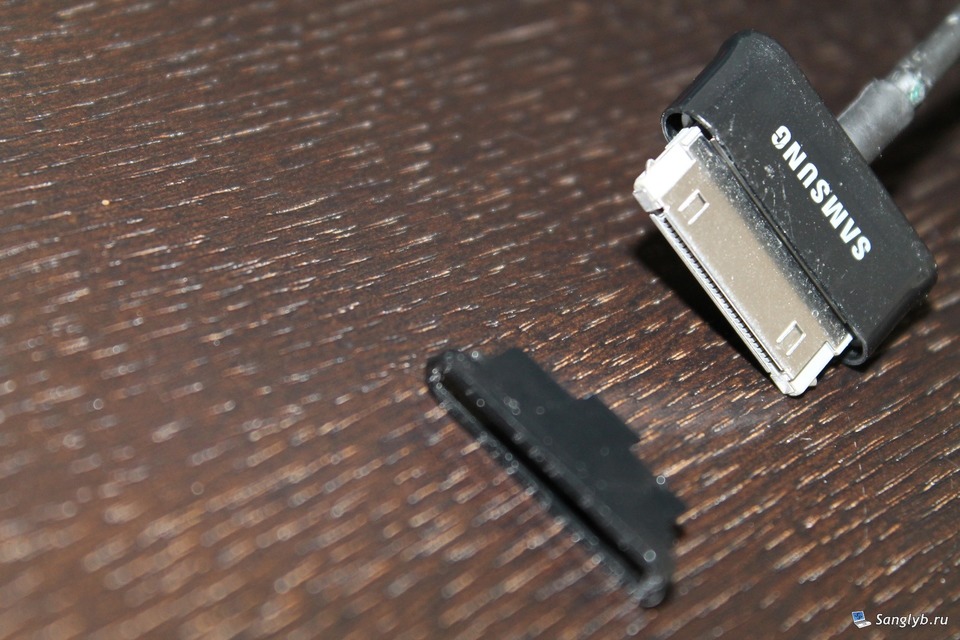
- Next, remove the plastic cover and casing, applying a bit of force.

- Carefully peel off the protective sticker.

Identifying and Fixing the Issue
- Unfold the metal casing around the latches and then bend them back.
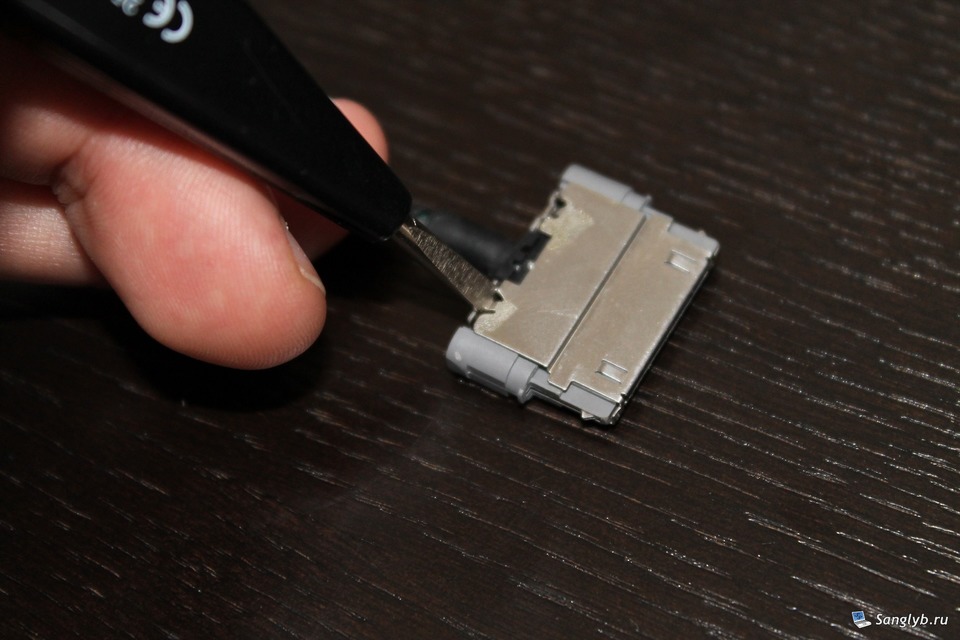
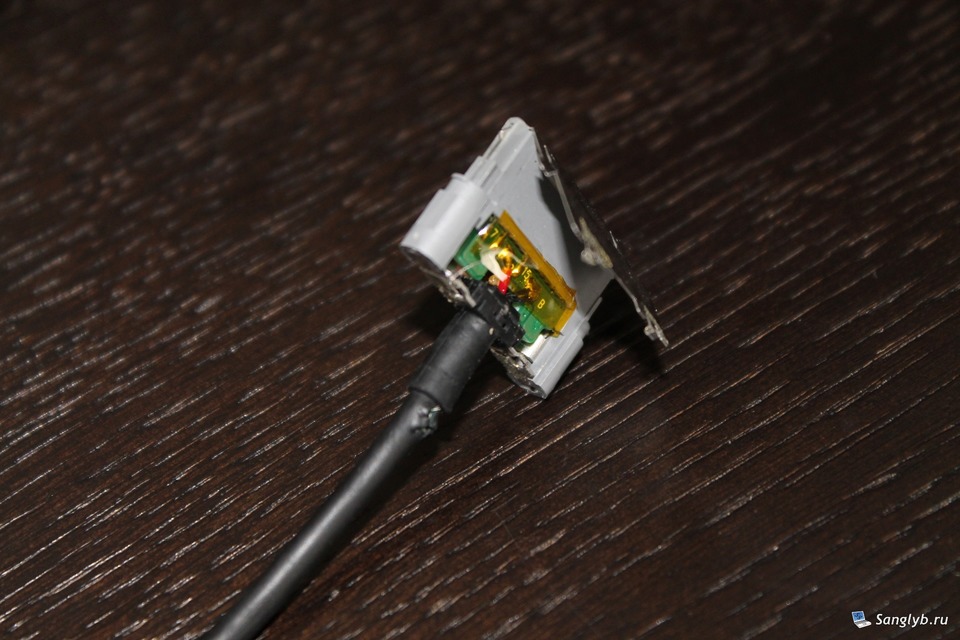
- Insert the screwdriver into the “ears” on the plastic connector body, pulling out the metal section afterward.
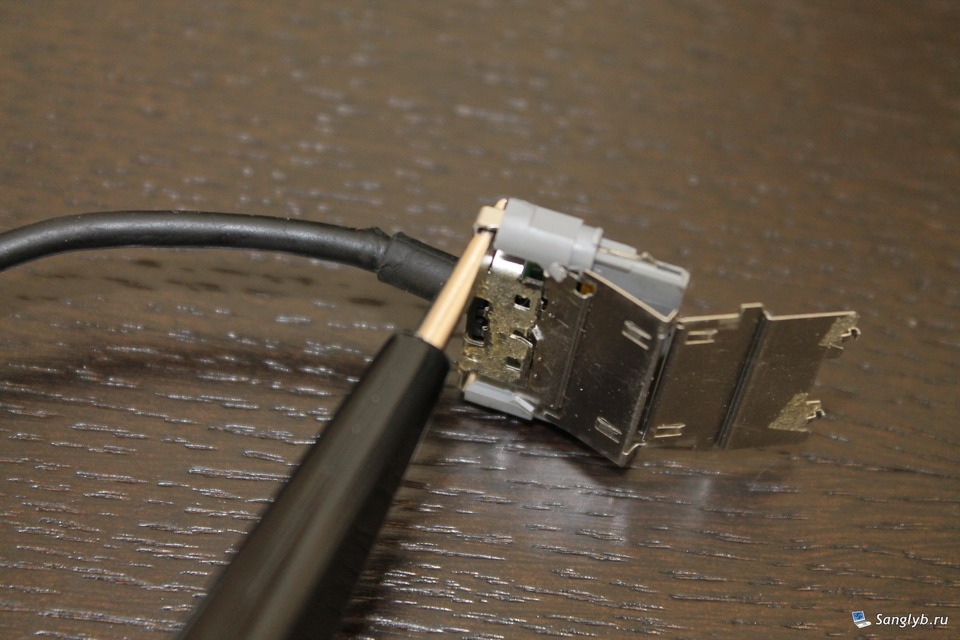
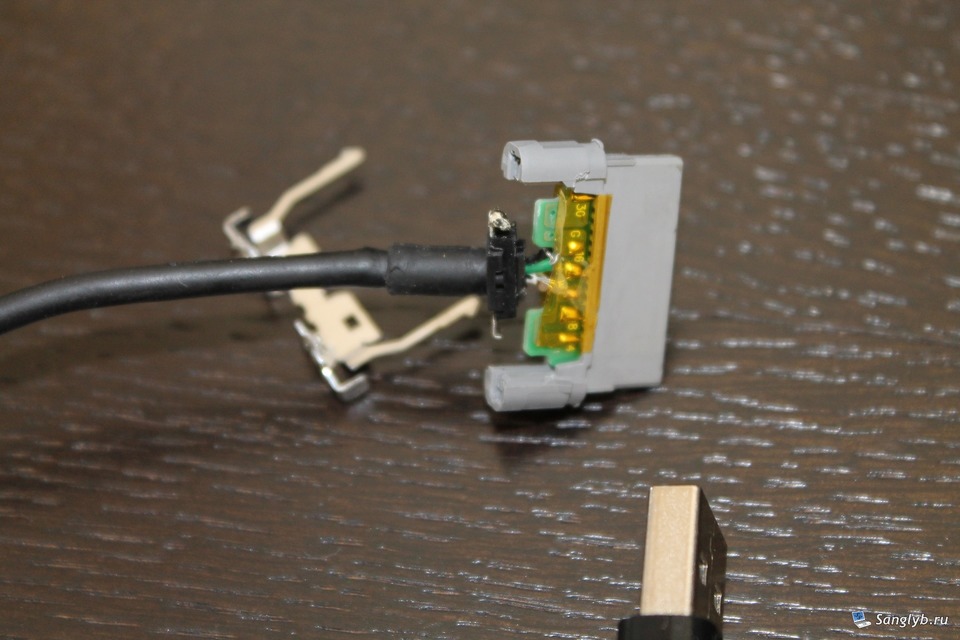
- You’ll see an orange tape; remove it to view the board. If you have the original cable, it will display which wire should be soldered where. Note any disconnections; in this case, two wires were found disconnected.
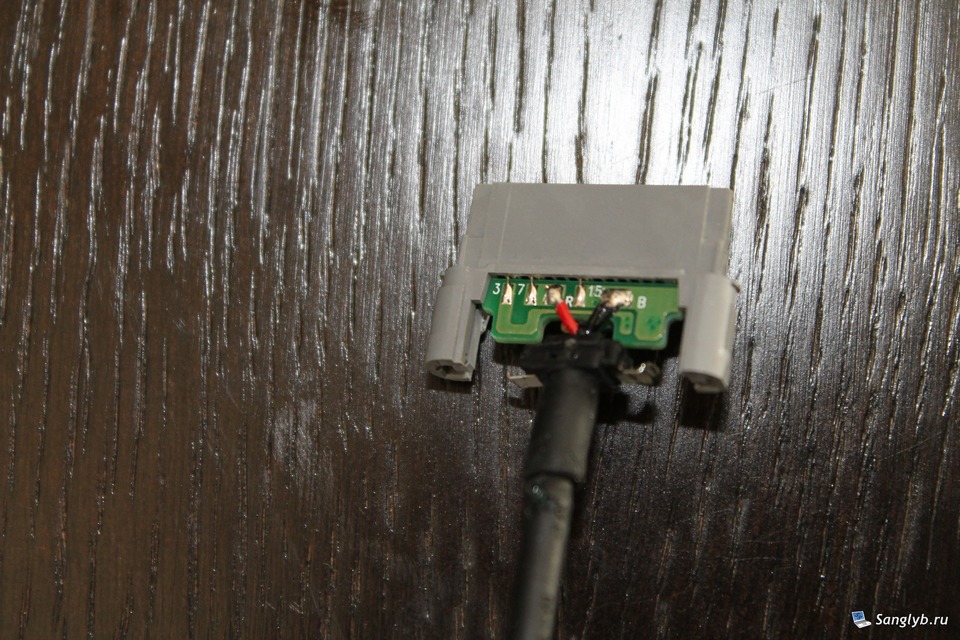
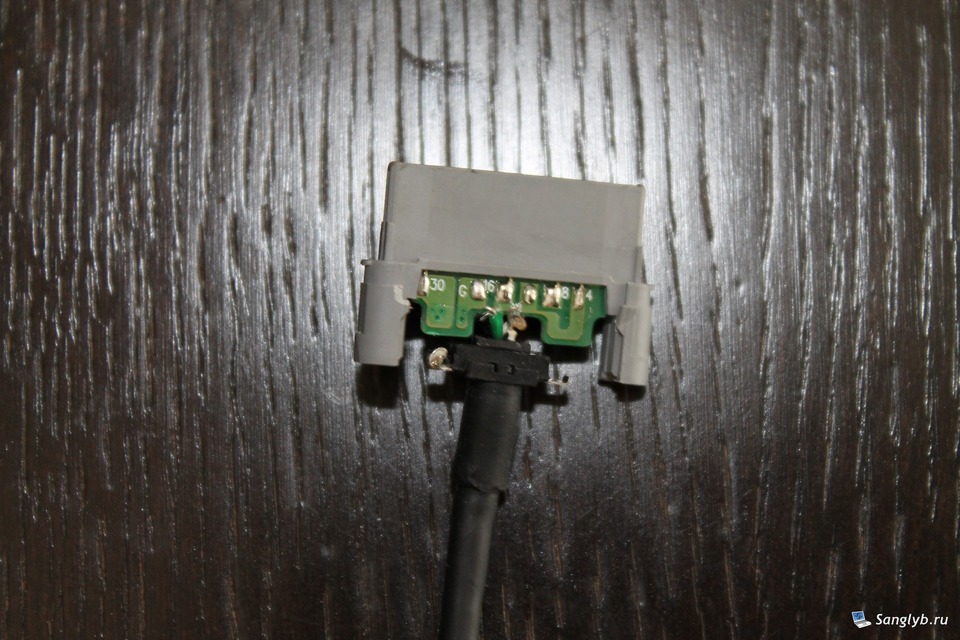
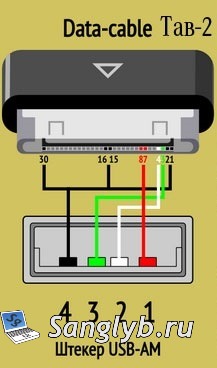
- For non-original cables, a wiring diagram might be handy.
Reassembling and Testing
- Desolder any damaged wire, prepare the wire, and then solder back to the board.
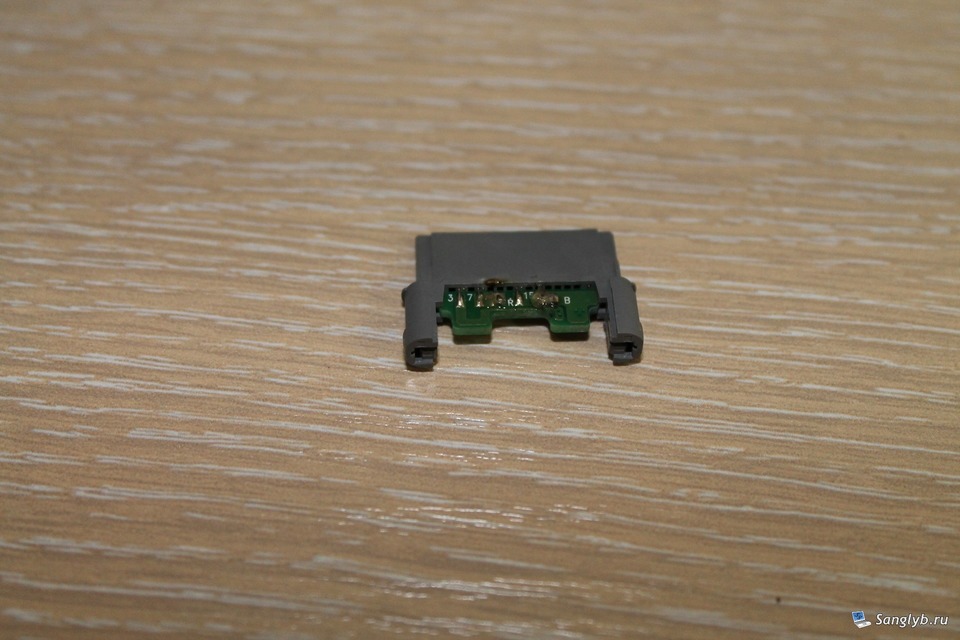
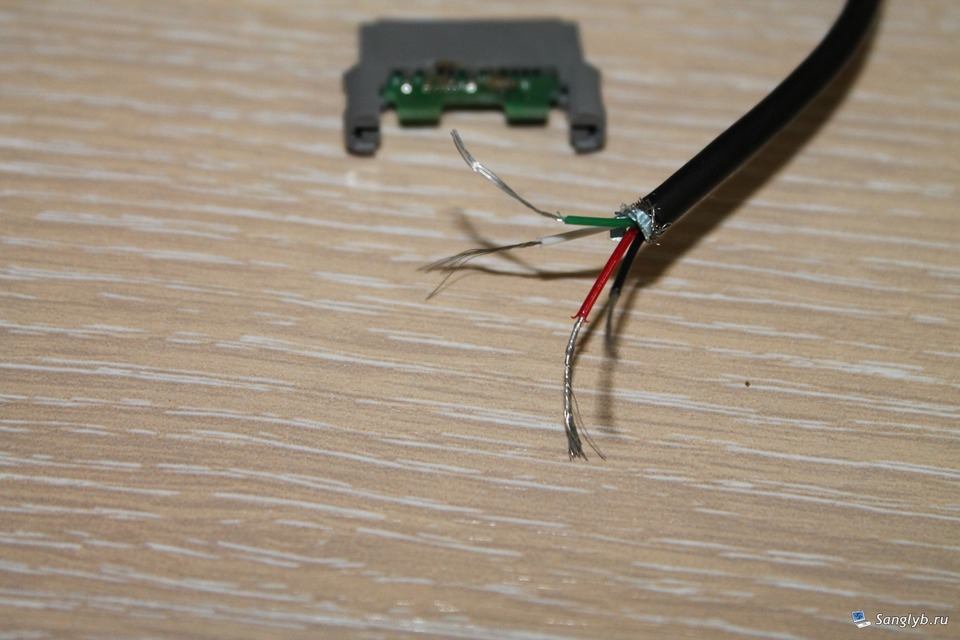

- Reassemble by following the disassembly steps in reverse. Don’t forget to insulate, especially if the original tape doesn’t stick. Pro Tip: Blue insulating tape works wonders!
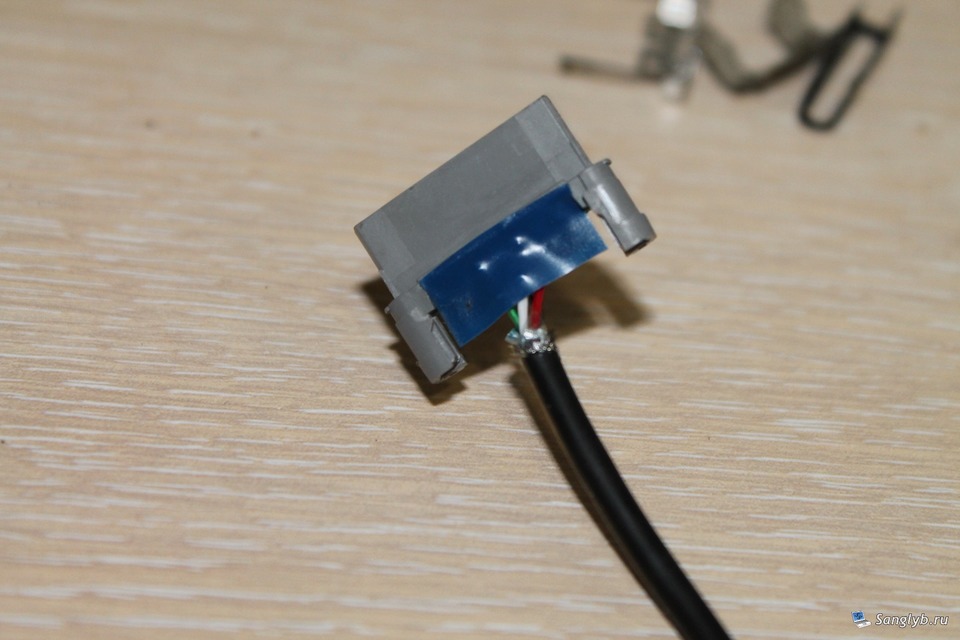
- For added stability, wrap several turns of insulating tape and secure with super glue where the wire meets the plastic body.

Done right, your Samsung Galaxy Tab 2 charging cable should be as good as new. This method saves you money and extends the life of your accessories. Experienced a different issue with your tablet or its accessories? Drop your thoughts in the comments below, and let’s help each other out!