Skip to content
www.mytechnote.ru
Menu
  • Administration
    • Scripts
  • Equipment
    • Reviews
    • Instructions
  • Other
  • English
    • English
    • Русский
Menu

How to Russify Your Ubuntu Server for Russian Language Support

Most VPS hosting providers use default English OS templates for virtual machines, lacking Russian language support. This can be problematic if you need to edit documents with Russian characters on an English Ubuntu setup.

A similar situation can arise during automated Ubuntu installations, such as in VMWare Workstation.

To enable Russian language support and Russify your system, follow these commands:

sudo su
apt-get update
apt-get upgrade
apt-get install language-pack-ru
dpkg-reconfigure locales
dpkg-reconfigure keyboard-configuration
dpkg-reconfigure console-setup
echo 'FRAMEBUFFER=Y' >> /etc/initramfs-tools/initramfs.conf
update-initramfs –u
reboot now

In summary:

  1. Connect as the superuser.

sudo su
  1. Update and upgrade packages.

apt-get update
apt-get upgrade
  1. Install the Russian language pack.

apt-get install language-pack-ru
  1. Reconfigure locales.

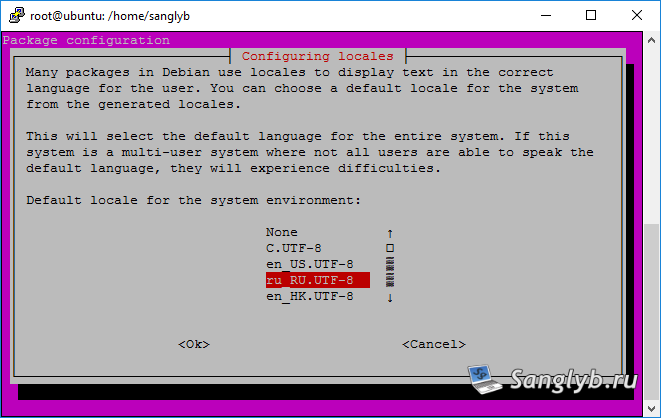
dpkg-reconfigure locales

Check ru_RU.UTF8

How to Russify Your Ubuntu Server for Russian Language Support - configure locales

Check ru_RU.UTF-8 as default.

How to Russify Your Ubuntu Server for Russian Language Support - configure locales

To check the current locale, use:

cat /etc/default/locale

It should look like this:

#  File generated by update-locale
LANG=ru_RU.UTF-8
#LANGUAGE="en_US:"
  1. Reconfigure keyboard settings.

dpkg-reconfigure keyboard-configuration

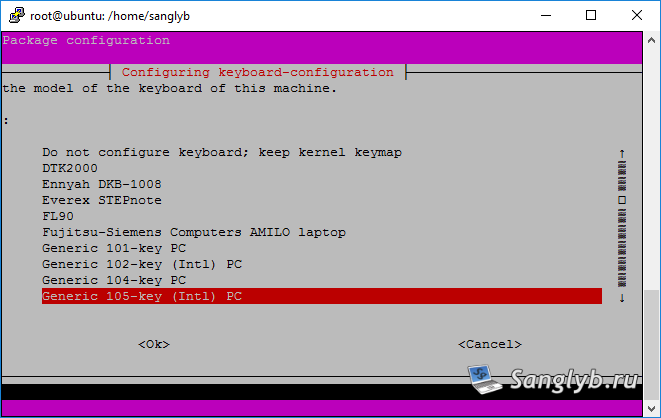
Select generic 105-key keyboard.

How to Russify Your Ubuntu Server for Russian Language Support - configure keyboard settings

Choose your country.

How to Russify Your Ubuntu Server for Russian Language Support - configure keyboard settings

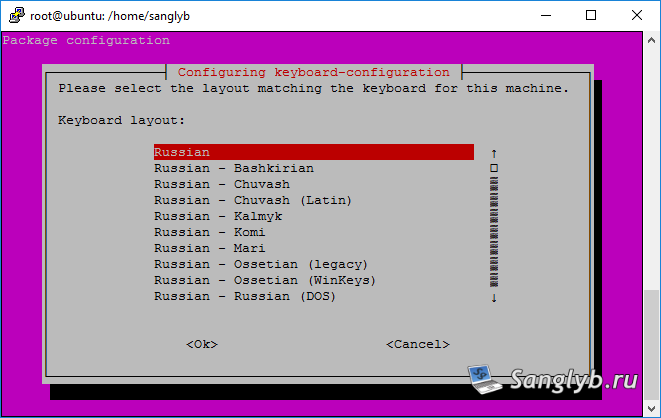
Select the Russian layout.

How to Russify Your Ubuntu Server for Russian Language Support - configure keyboard settings

How to Russify Your Ubuntu Server for Russian Language Support - configure keyboard settings

Choose your prefered toggling method.
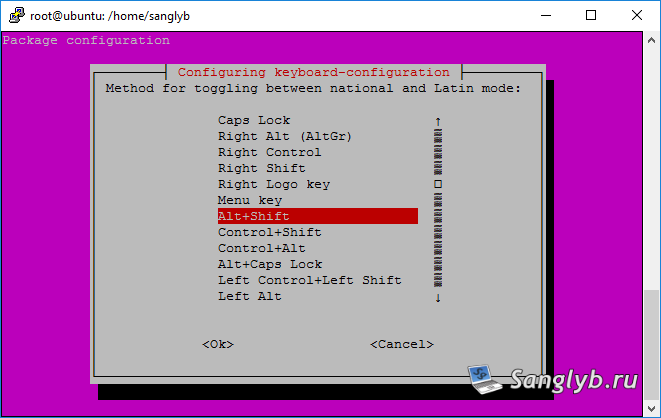
How to Russify Your Ubuntu Server for Russian Language Support - configure keyboard settings

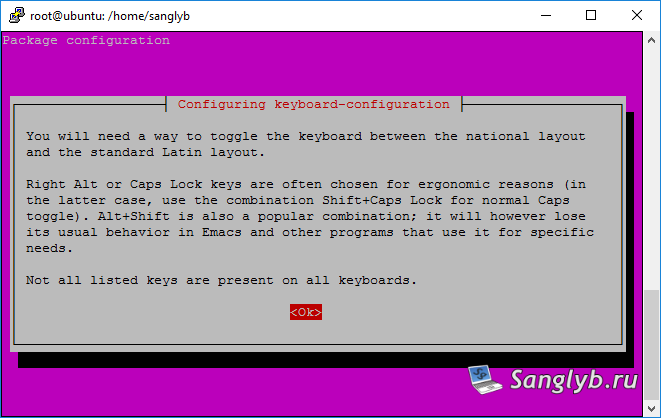
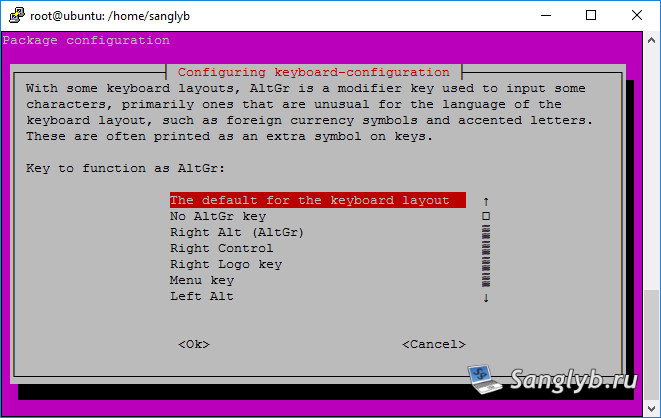
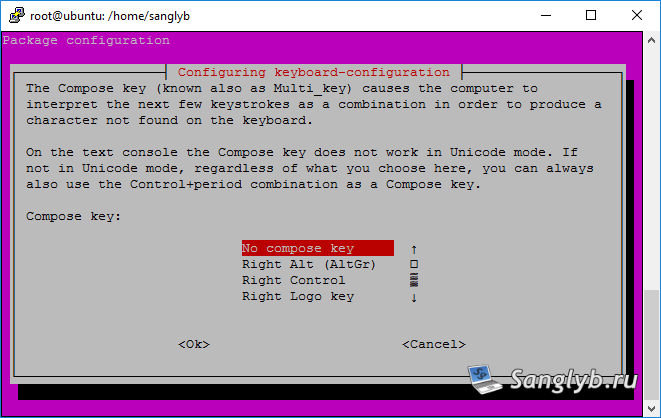
The other parameters may be left as is.
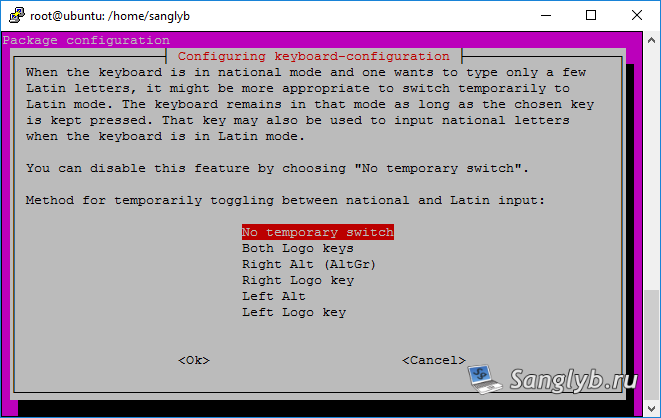
How to Russify Your Ubuntu Server for Russian Language Support - configure keyboard settings

How to Russify Your Ubuntu Server for Russian Language Support - configure keyboard settings

How to Russify Your Ubuntu Server for Russian Language Support - configure keyboard settings

  1. Reconfigure console settings.

dpkg-reconfigure console-setup

Select UTF-8.

How to Russify Your Ubuntu Server for Russian Language Support - configure console settings

Choose “guess the optimal character set”.
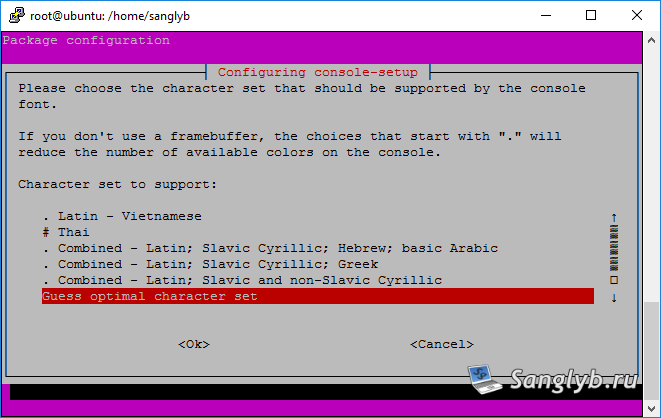
How to Russify Your Ubuntu Server for Russian Language Support - configure console settings

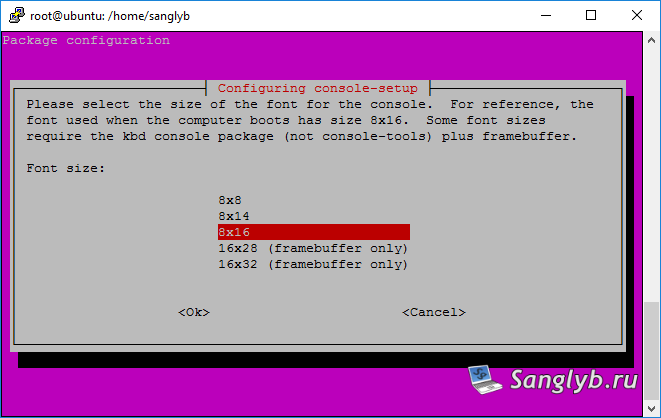
The remaining settings should be left as is.
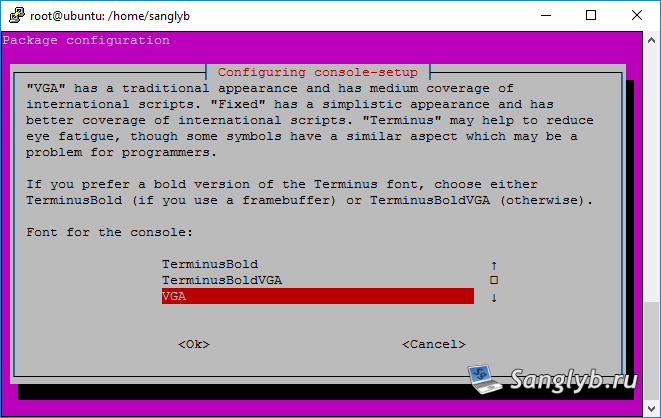
How to Russify Your Ubuntu Server for Russian Language Support - configure console settings

How to Russify Your Ubuntu Server for Russian Language Support - configure console settings

  1. Enable framebuffer.

echo 'FRAMEBUFFER=Y' >> /etc/initramfs-tools/initramfs.conf
update-initramfs –u
  1. Reboot your system.

reboot now

Your Ubuntu Server is now Russified.

Posted on 03.09.202330.05.2024 by sanglyb

Post navigation

← Optimizing Your Samsung Galaxy Tab 2: A Guide to Speed It Up with CyanogenMod
Master Remote Desktop in Ubuntu with X2go →

Leave a Reply Cancel reply

Your email address will not be published. Required fields are marked *

Подписывайтесь

Youtube
vk
telegram
github
twitter
rss
  • Форум
  • Об авторе
  • Поддержать автора

Популярные записи

Новые записи

  • How to Extend an LVM Partition in Linux
  • SCCM Reporting Errors After Migrating from SQL Server 2016 to 2019
  • Problem Using PassFiltEx on Older CPUs
  • How to remove attachments from old calendar events in Exchange using a script
  • How to download and install Office 2024 LTSC

Архивы

  • 2026 (3)
  • 2025 (5)
  • 2024 (7)
  • 2023 (30)
  • 2022 (4)
  • 2020 (17)
  • 2017 (82)
  • 2016 (5)
© 2015-2026 www.mytechnote.ru
Использование материалов сайта возможно только с разрешения владельца или обязательна индексируемая, прямая, передающая вес ссылка на материал.