
Ever faced the dilemma of losing your Linux bootloader? I’ve been there too. On a few occasions, my Linux bootloader was wiped, often due to Windows updates that overrode Grub. Additionally, many face this challenge when installing Windows alongside Linux. If you’re grappling with a similar issue, this guide will walk you through a straightforward method to restore the Linux grub bootloader.
Step-by-Step Guide to Restoring the Linux Bootloader with Ubuntu LiveCD:
Initiate the Ubuntu LiveCD Boot Process: Begin by booting your system from the Ubuntu LiveCD.
Access the Terminal: Once you’re in, launch the terminal. This will be your primary tool for the restoration process.
Enter the Necessary Commands: Input the following commands into the terminal:
sudo su
add-apt-repository ppa:yannubuntu/boot-repair
apt update
apt install boot-repair
boot-repair
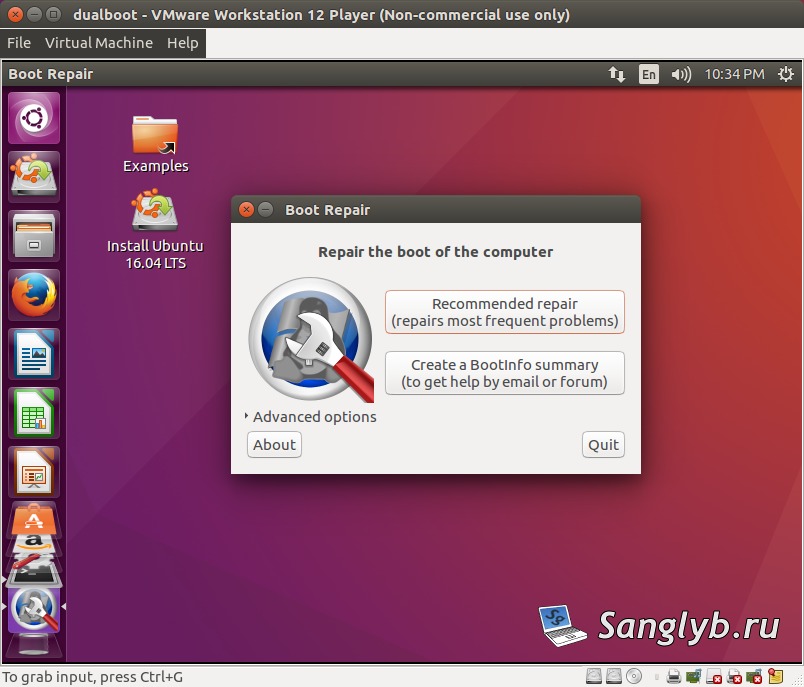
After these commands, the boot-repair program window will pop up.
Choose the ‘Recommended Repair’ Option: In most scenarios, the ‘Recommended Repair’ option in the boot-repair program is all you need to restore the Linux bootloader. Select this and proceed.
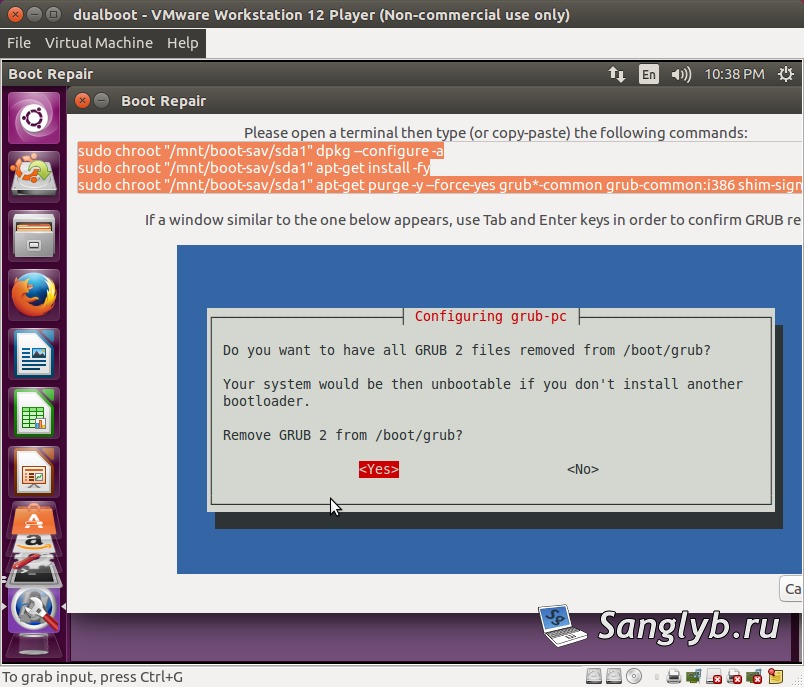
Follow On-Screen Instructions Carefully: Sometimes, you might encounter additional steps, like manually deleting and reinstalling Grub through the terminal. Always read and follow these additional instructions.
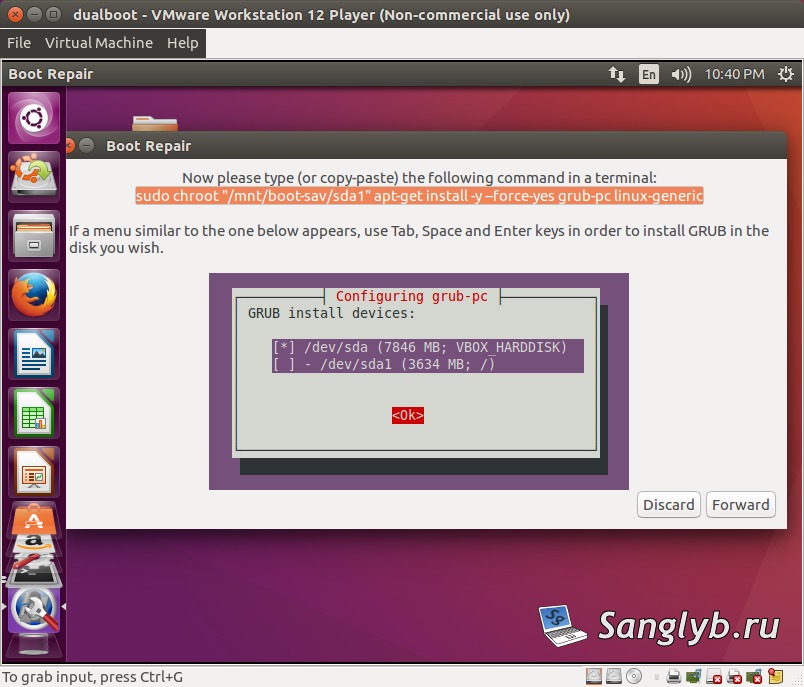
Complete the Restoration Process: Once all steps are done, wait for the restoration process to finalize. Once there are no errors, it indicates your bootloader has been successfully restored.
Reboot and Verify: The final step is to reboot your system and check if the Linux bootloader has been restored.
Conclusion
Losing the Linux bootloader can be a daunting experience, especially when unexpected Windows updates interfere. However, with this guide, you now have a reliable method to restore the Linux bootloader using Ubuntu LiveCD. Always ensure you follow each step carefully for a smooth restoration process.