
Skip to content
www.mytechnote.ru
Menu
  • Administration
    • Scripts
  • Equipment
    • Reviews
    • Instructions
  • Other
  • English
    • English
    • Русский
Menu

How to enter to the BIOS from Windows OS

Sometime there are situations when you need to enter BIOS, for example to change boot order of devices, for OS reinstall, or for loading some utilities from bootable media. And you cannot enter to the BIOS with simple key press on keyboard, for example that can happen if you have enabled fast boot in BIOS settings, or if you need to enter BIOS on tablet.

Today I will show you how to enter to UEFI BIOS from the Windows 10 operating system. Also that procedure should work on Windows 8 and Windows 8.1.

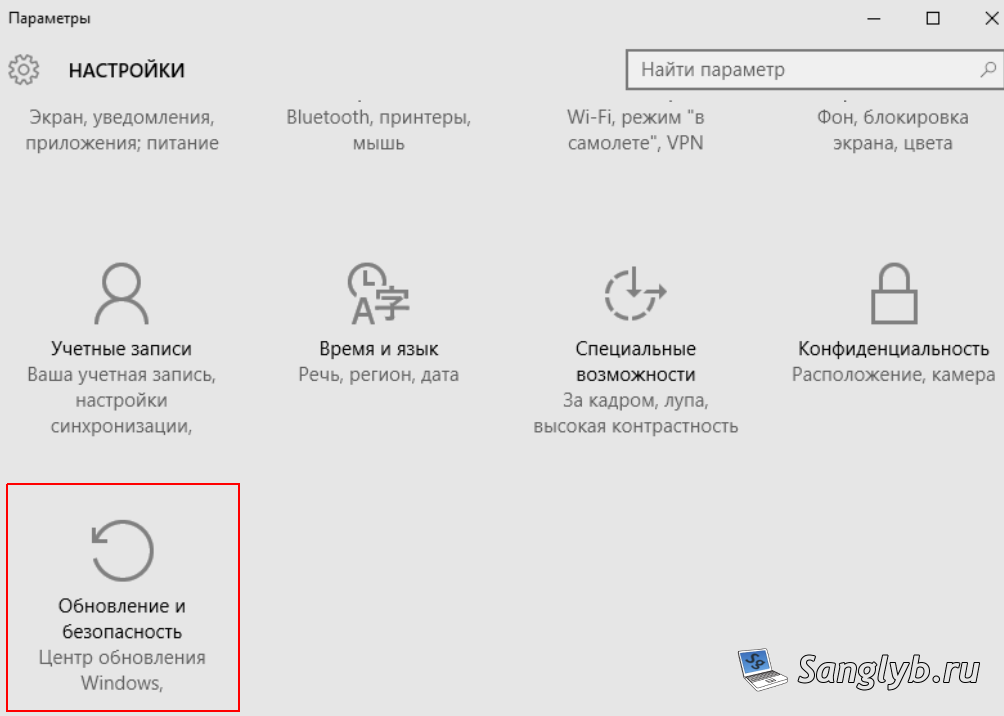
Go to system settings and then go to Updates and Security.
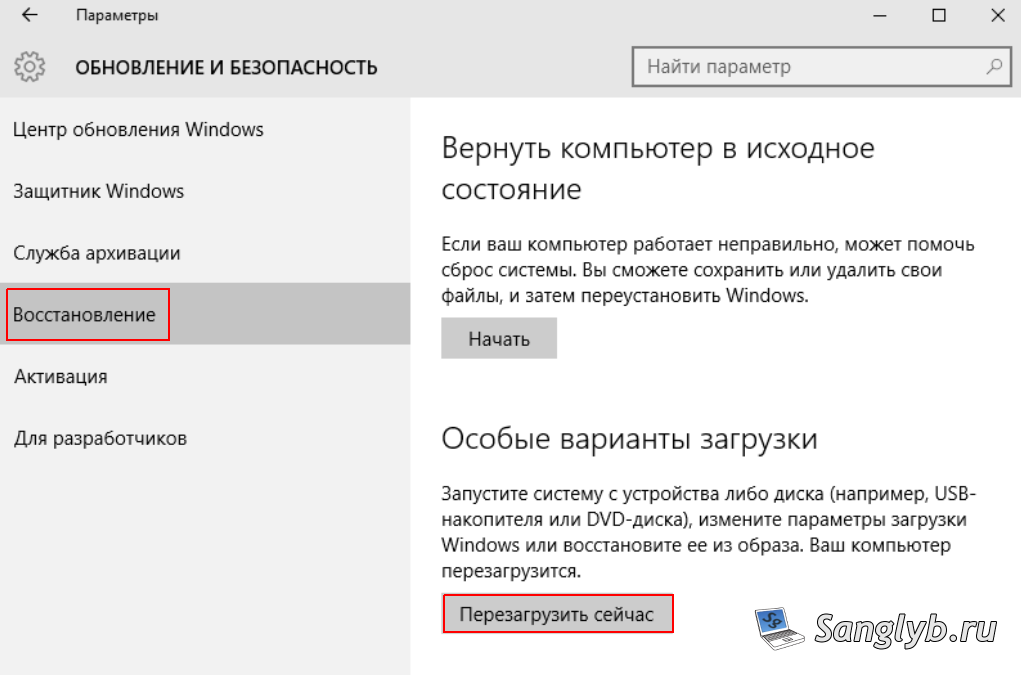
Go to restore menu and click reboot now.
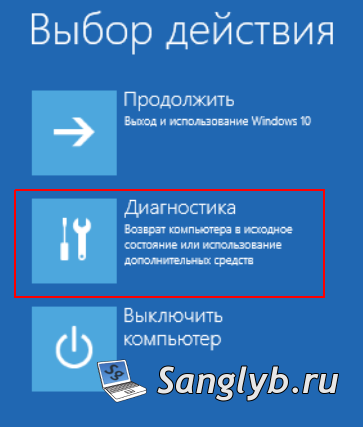
After reboot select Diagnostics
And then select advanced parameters.

On the next step select UEFI firmware settings.
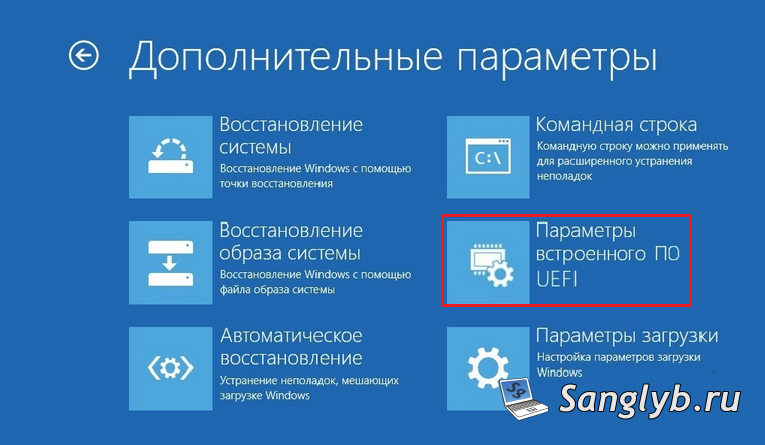
And after that comfirm reboot. Computer will be rebooted and you will enter UEFI BIOS.


Posted on 30.09.202030.05.2024 by sanglyb

Post navigation

← How to create a full copy of HDD
How to add multiple sites to single IP address in Apache →

Leave a Reply Cancel reply

Your email address will not be published. Required fields are marked *

Подписывайтесь

Youtube
vk
telegram
github
twitter
rss
  • Форум
  • Об авторе
  • Поддержать автора

Популярные записи

Новые записи

  • How to Extend an LVM Partition in Linux
  • SCCM Reporting Errors After Migrating from SQL Server 2016 to 2019
  • Problem Using PassFiltEx on Older CPUs
  • How to remove attachments from old calendar events in Exchange using a script
  • How to download and install Office 2024 LTSC

Архивы

  • 2026 (3)
  • 2025 (5)
  • 2024 (7)
  • 2023 (30)
  • 2022 (4)
  • 2020 (17)
  • 2017 (82)
  • 2016 (5)
© 2015-2026 www.mytechnote.ru
Использование материалов сайта возможно только с разрешения владельца или обязательна индексируемая, прямая, передающая вес ссылка на материал.