
In todays article I will show you how wallpaper can be set up with the help of windows group policies. This method can be helpfull simple users, who do not want their gests or neighbours could change your favorite wallpaper. Or for IT professionals, who working in company where corporate policy require the same wallpapers on all computers.
System requirements – Windows 7 or higher and not a home version of OS (for GPO work).
Go to group policy editor – (Start – Run – gpedit.msc), and go to menu – User configuration – Administrative templates – Desktop – Desktop.
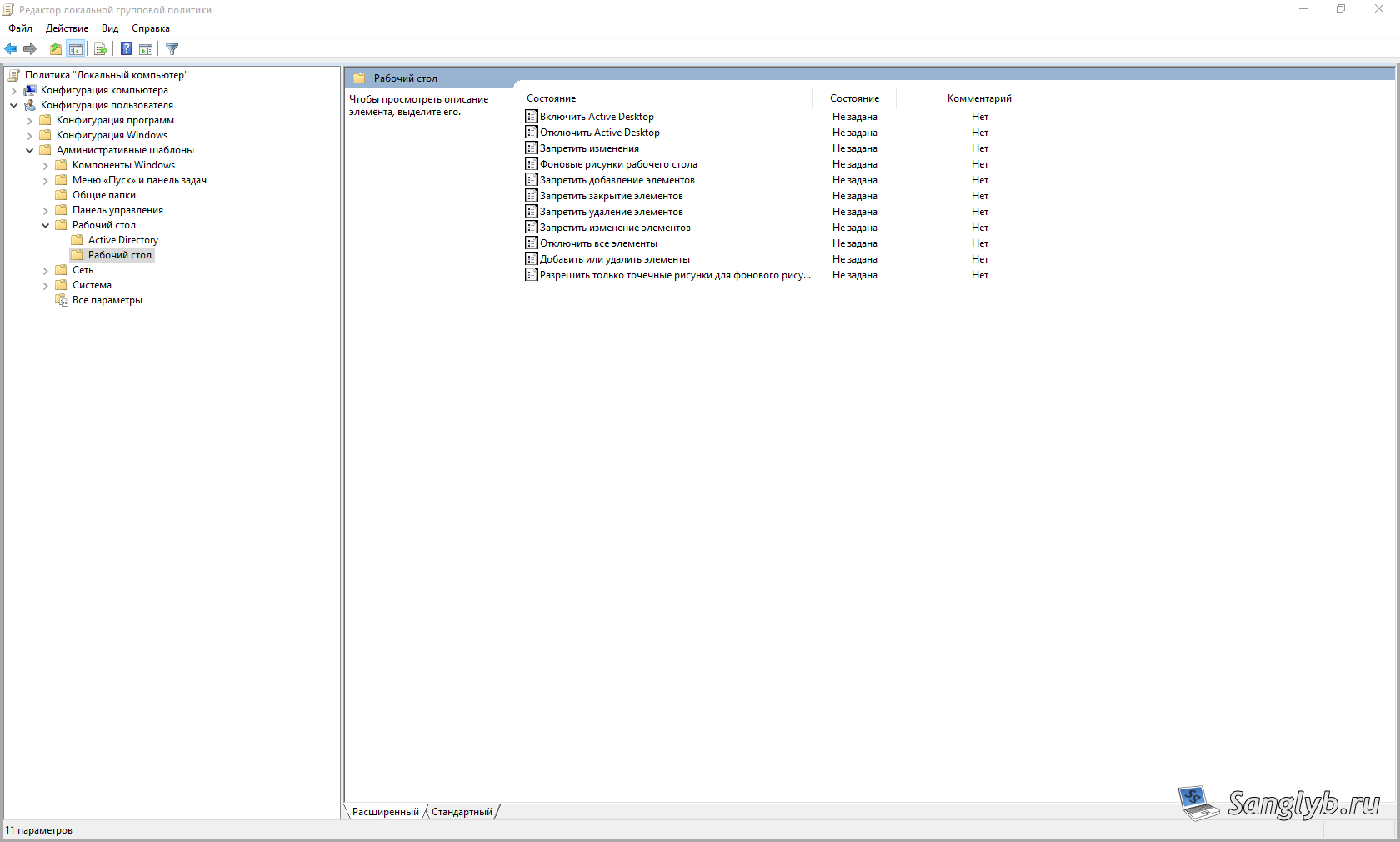
Here we need to enable Active Dectop.

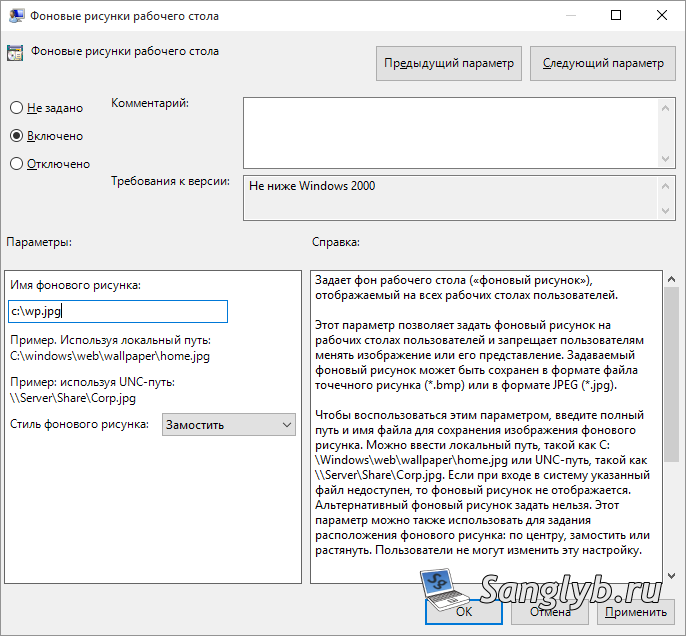
Also we need to enable Desktop Wallpaper, set path to image and set a wallpaper style. If you creating GPO on a domain controller, then path must be network accessible for all users. The easiest way is to put picture to the domanin share on domain controller (for example to sysvol share).
If you want to deny access for users to change their wallpaper, then you need to go to User Configuration – Administrative Templates – Control Panel – Personalization
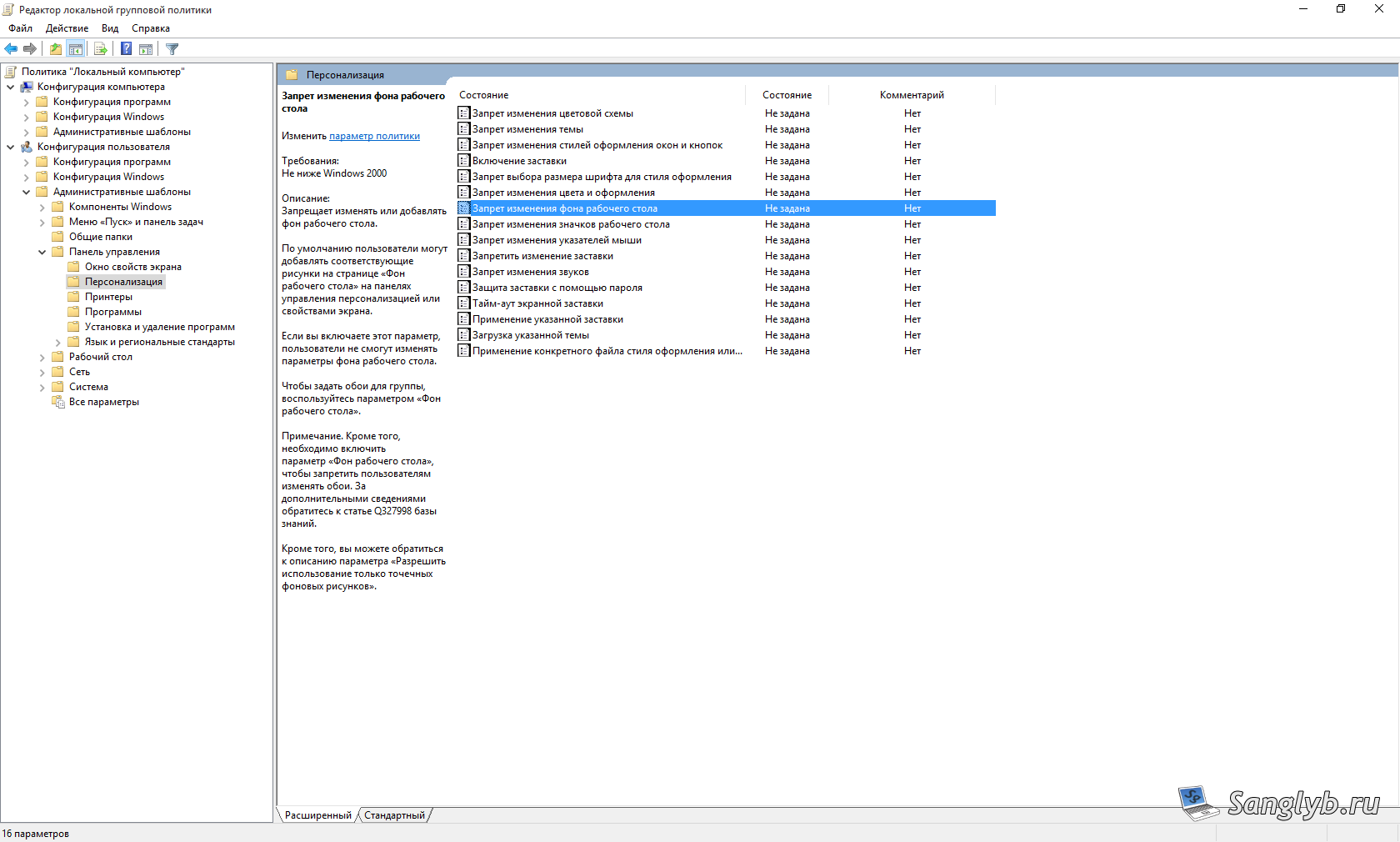
Here you need to enable policy “Prevent changing desktop background”

After that user should relogin to the system and wallpaper should change, and the only way to change it is through that group policy.
I have a video with all actions (it is russian language in it):