Skip to content
www.mytechnote.ru
Menu
  • Administration
    • Scripts
  • Equipment
    • Reviews
    • Instructions
  • Other
  • English
    • English
    • Русский
Menu

Mail.ru email stopped working on IPhone or IPad, what we can do?

I’ve recently seen than on my IPhone and IPad, email messages stopped delivering and sending in built in mail app suddenly. I’m assuming that the problem may be seen not only on Apple devices, but also on any devices, or to be more accurate with apps, those use standard IMAP and SMTP auth.

Possibly, mail.ru decided to make their advanced protection mandatory, and now you must use 3rd party apps passwords for those mail protocols. I want to show you, how can you create such password, and solve the problem.

It will take you about 2 minutes. Login to your mail.ru account, and in the right upper corner click at you username, and select “password and security”.
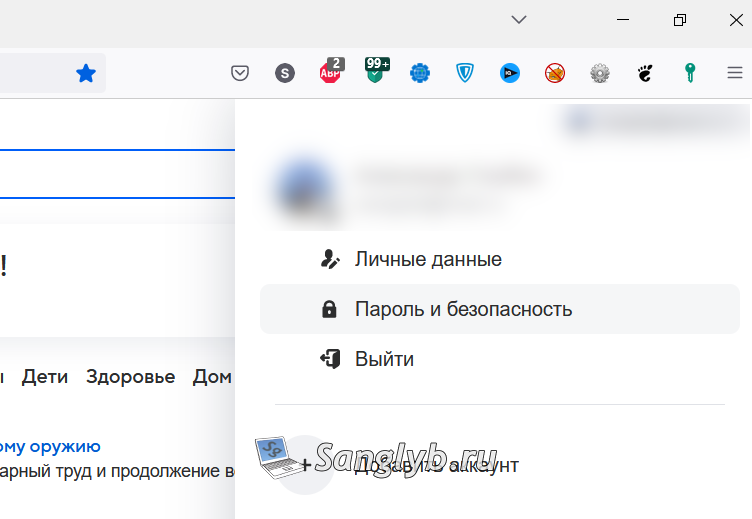
Перестала приходить почта с mail.ru на IPhone, IPad или другие устройства, что делать? парль и безопасность

Then go to the “3rd party apps passwords”.


Перестала приходить почта с mail.ru на IPhone, IPad или другие устройства, что делать? пароли для внешних приложений

Click on add and set any name you want.
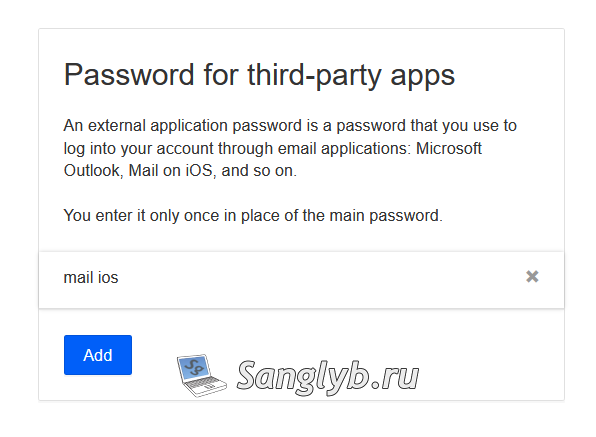
 

Перестала приходить почта с mail.ru на IPhone, IPad или другие устройства, что делать? добавление внешнего приложения

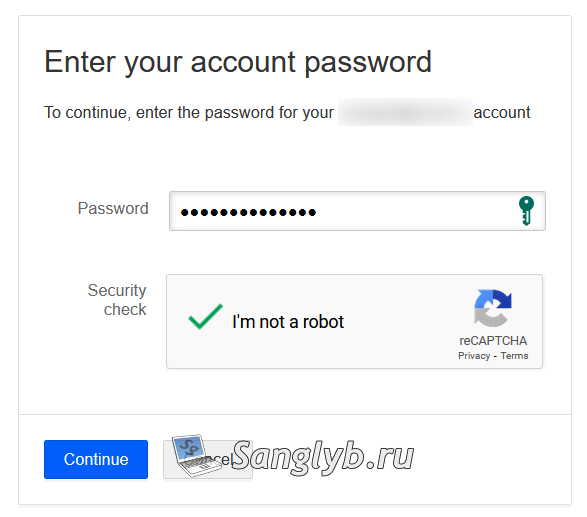
Enter your regular mail.ru password.


Перестала приходить почта с mail.ru на IPhone, IPad или другие устройства, что делать? вводим пароль

And you should see long password, which is we needed.
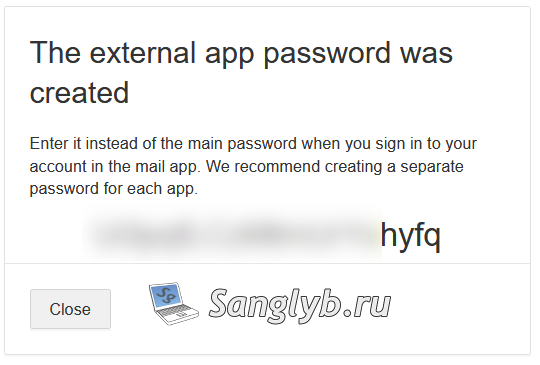
 

Перестала приходить почта с mail.ru на IPhone, IPad или другие устройства, что делать? пароль для внешнего приложения

Now, for example on your Iphone go to settings -> mail -> your account -> account -> smtp -> primary SMTP. And update your password. Then go back 2 steps and update your password again.
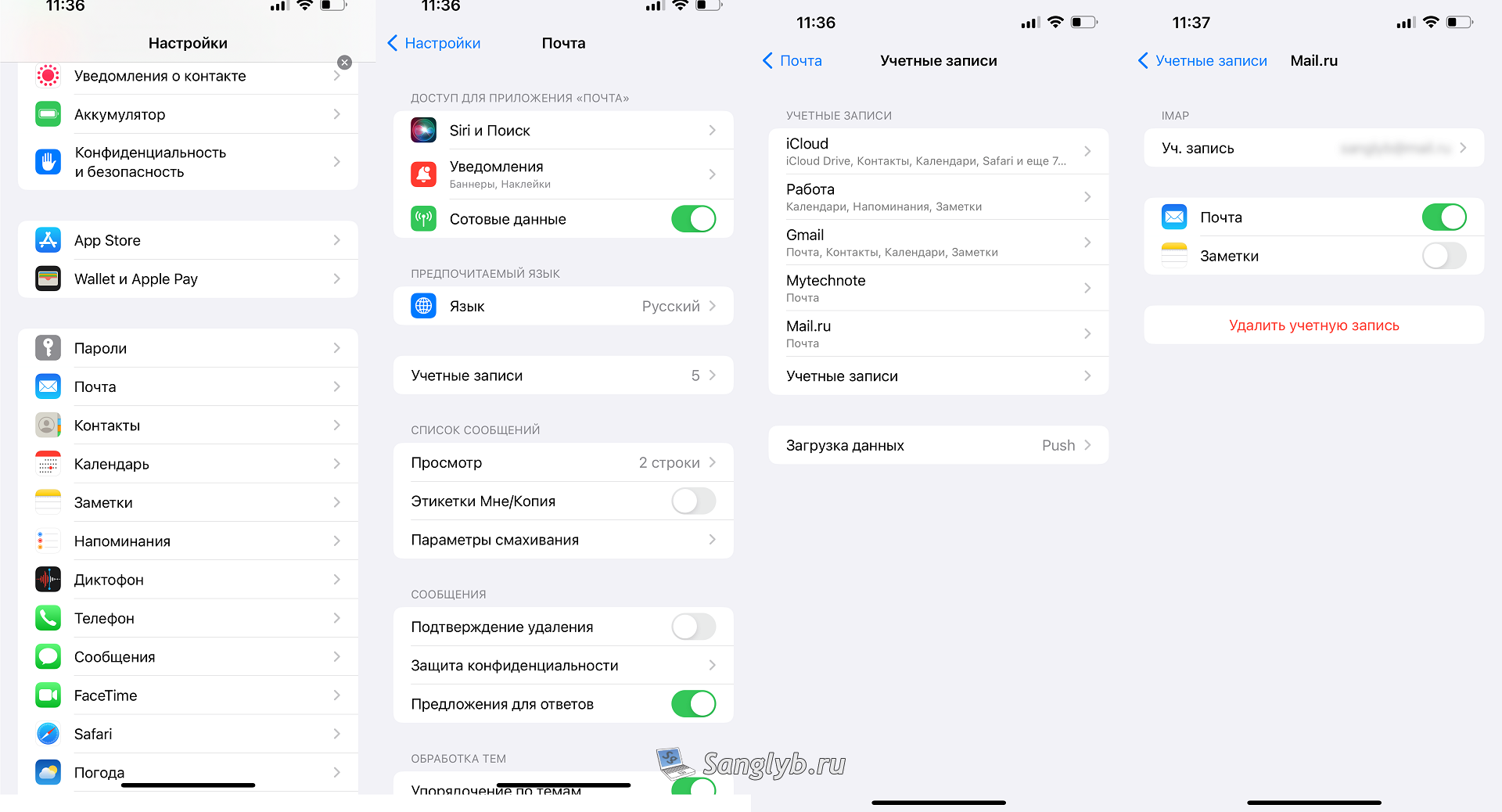
 

Перестала приходить почта с mail.ru на IPhone, IPad или другие устройства, что делать? настройки на IPhone

Перестала приходить почта с mail.ru на IPhone, IPad или другие устройства, что делать? Настройки на IPhone

That’s all. Now your mail should start to deliver and send.


Posted on 27.11.202230.05.2024 by sanglyb

Post navigation

← How to easily configure reverse proxy for your sites and other things (Nginx Proxy Manager)
Searching where a user is logged on [PowerShell] →

Leave a Reply Cancel reply

Your email address will not be published. Required fields are marked *

Подписывайтесь

Youtube
vk
telegram
github
twitter
rss
  • Форум
  • Об авторе
  • Поддержать автора

Популярные записи

Новые записи

  • How to Extend an LVM Partition in Linux
  • SCCM Reporting Errors After Migrating from SQL Server 2016 to 2019
  • Problem Using PassFiltEx on Older CPUs
  • How to remove attachments from old calendar events in Exchange using a script
  • How to download and install Office 2024 LTSC

Архивы

  • 2026 (3)
  • 2025 (5)
  • 2024 (7)
  • 2023 (30)
  • 2022 (4)
  • 2020 (17)
  • 2017 (82)
  • 2016 (5)
© 2015-2026 www.mytechnote.ru
Использование материалов сайта возможно только с разрешения владельца или обязательна индексируемая, прямая, передающая вес ссылка на материал.