
Skip to content
www.mytechnote.ru
Menu
  • Administration
    • Scripts
  • Equipment
    • Reviews
    • Instructions
  • Other
  • English
    • English
    • Русский
Menu

How to disable automatic Windows update

Today I’ll show you how to disable automatic Windows update. I do not recommend this, but there are different situations.

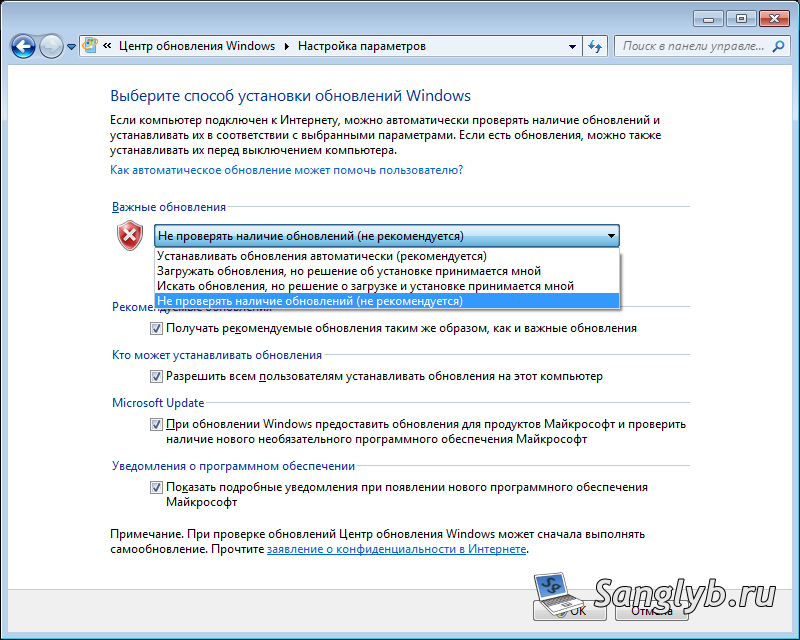
So, go to the control panel – Windows Update:

We press the parameter setting, and in the drop-down menu we choose not to check for updates, click OK.
Also, you can disable the updates through Group Policy (only if you do not have a home version of Windows), for this press the win + r keys and enter gpedit.msc. In the opened window, go to Computer Configuration, Administrative Templates, Windows Components, Windows Update

In this menu, go to the Automatic Updates Setup policy and choose to disable, and click Apply

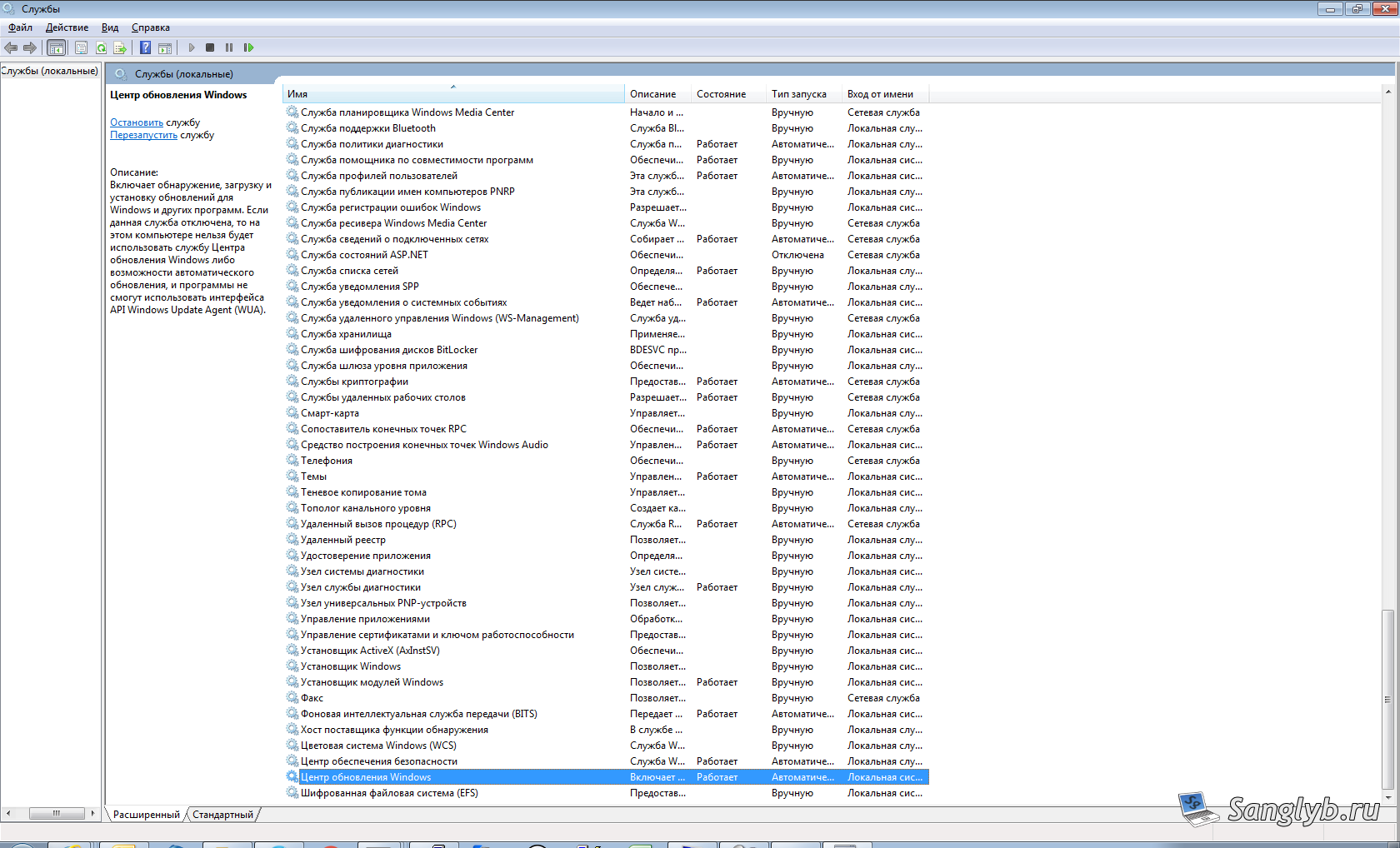
Another way is to disable the Windows Update service (but I highly recommend that you do not use it, because programs may depend on this service). Press the win + r keys, and type services.msc, press Enter. In the opened window we find the service – Windows Update.
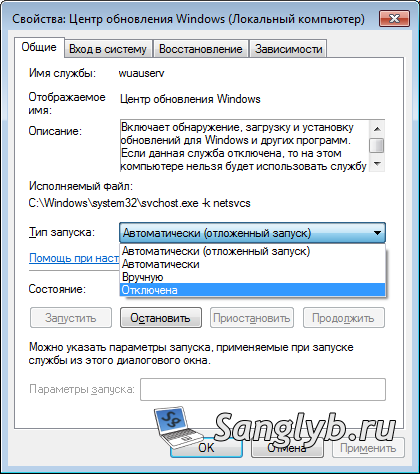
We go into its properties, and in the drop-down menu the type of launch is selected is disabled. Click to apply and restart the computer. The service must be disabled.
Video on the topic (Russian language):

Posted on 07.08.201730.05.2024 by sanglyb

Post navigation

← How to open all selected files in Total Commander
How to disable UAC in Windows →

Leave a Reply Cancel reply

Your email address will not be published. Required fields are marked *

Подписывайтесь

Youtube
vk
telegram
github
twitter
rss
  • Форум
  • Об авторе
  • Поддержать автора

Популярные записи

Новые записи

  • How to Extend an LVM Partition in Linux
  • SCCM Reporting Errors After Migrating from SQL Server 2016 to 2019
  • Problem Using PassFiltEx on Older CPUs
  • How to remove attachments from old calendar events in Exchange using a script
  • How to download and install Office 2024 LTSC

Архивы

  • 2026 (3)
  • 2025 (5)
  • 2024 (7)
  • 2023 (30)
  • 2022 (4)
  • 2020 (17)
  • 2017 (82)
  • 2016 (5)
© 2015-2026 www.mytechnote.ru
Использование материалов сайта возможно только с разрешения владельца или обязательна индексируемая, прямая, передающая вес ссылка на материал.