
Yesterday marked another fun-filled April 1st, and I had this compelling urge to share a timeless computer desktop prank. Although many might be familiar with it, it’s a classic that never gets old. This prank tricks the user into believing their computer is malfunctioning when it’s really not.
How the Desktop Prank Works
The trick lies in its simplicity. An unsuspecting user can spend a considerable amount of time puzzled, attempting to figure out why their usual desktop icons aren’t functioning. Here’s the big reveal: We transform a screenshot of their desktop into the wallpaper. This causes them to click on the image of icons, not the actual functional ones.
Step-by-Step Guide to Set Up the Computer Prank
Prepare the Scene: Ensure all active windows are closed. Capture a screenshot using the PrintScreen key.
Create the Illusion: Open any graphics software, paste the screenshot, and save it as a bitmap.
Hide Real Icons: Move all actual desktop items into a temporary folder, say, within ‘Documents’.
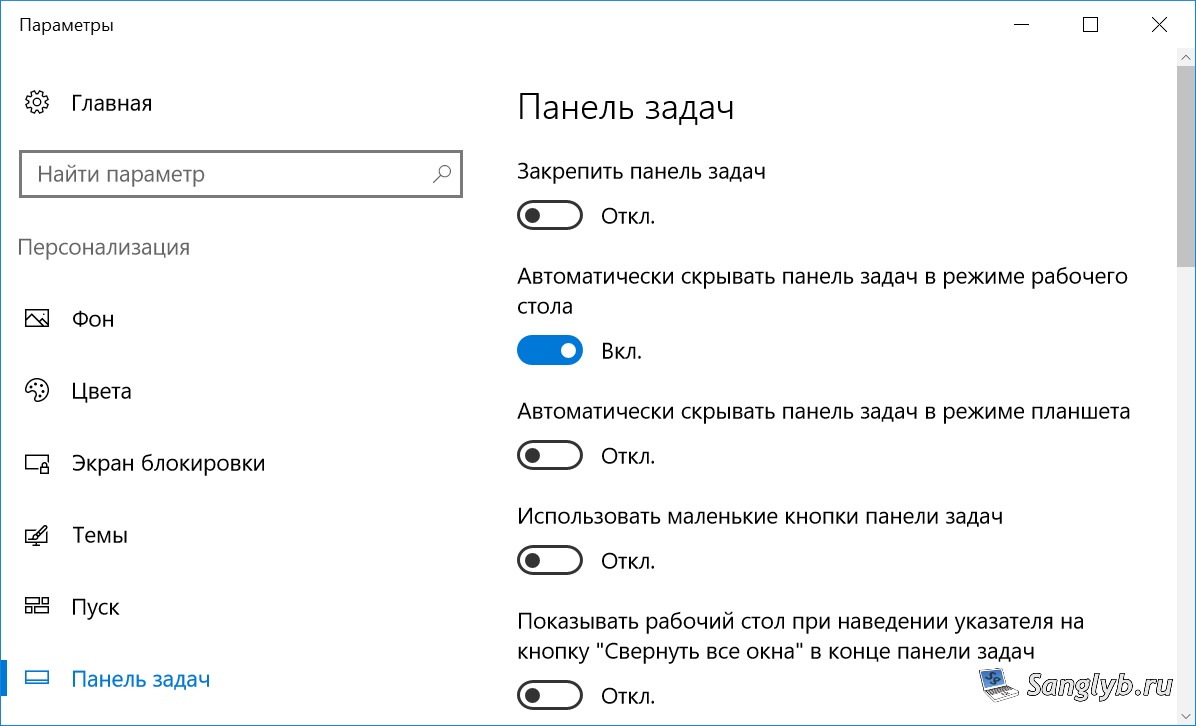
Tweak the Taskbar: Right-click on the taskbar to access properties. Disable the ‘pinning’ option and activate ‘auto-hide’. This allows you to relocate the taskbar, perhaps to the screen’s top.
Final Touch: Right-click your saved screenshot and set it as the desktop background.
What to Expect
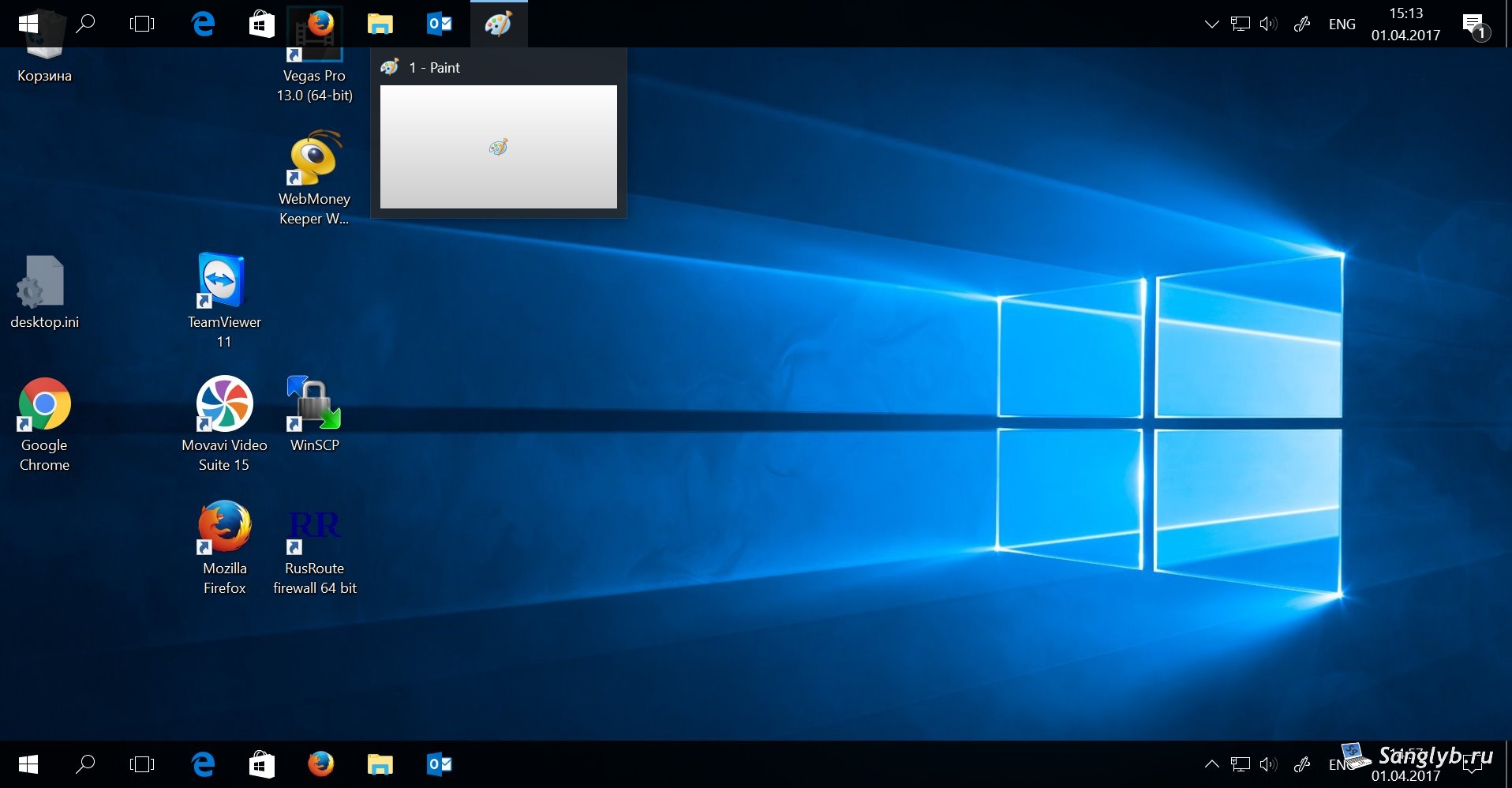
When users access their computer, they’ll find their mouse clicking on the wallpaper, not the actual icons or taskbar. Their astonishment and confusion make this prank a delightful April Fools’ jest.