Skip to content
www.mytechnote.ru
Menu
  • Administration
    • Scripts
  • Equipment
    • Reviews
    • Instructions
  • Other
  • English
    • English
    • Русский
Menu

Dual Boot Time Sync: The Ultimate Guide to Fixing Windows & Linux/MacOS Clock Discrepancies

If you’re juggling between Windows and Linux or MacOS on a dual-boot system, a common hiccup you might encounter is the time sync problem. Fear not, this guide provides a comprehensive solution.

Why Does the Dual Boot Time Sync Issue Happen?

It boils down to system architecture. Linux, Unix, and MacOS employ the GMT time zone as their standard. Meanwhile, Windows prefers your local time zone. This variation can sometimes throw Windows’ clock off-kilter.

Swift Resolution: Tweak the Windows Registry

For a hassle-free remedy, I’ve prepared a registry file. Just download it here, extract, run clock.reg, and give your machine a quick restart.

For the DIY enthusiasts:

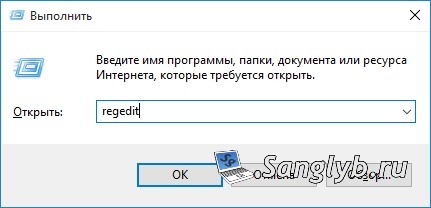
  1. Hit Win+R, punch in regedit, and press Enter.

run regedit

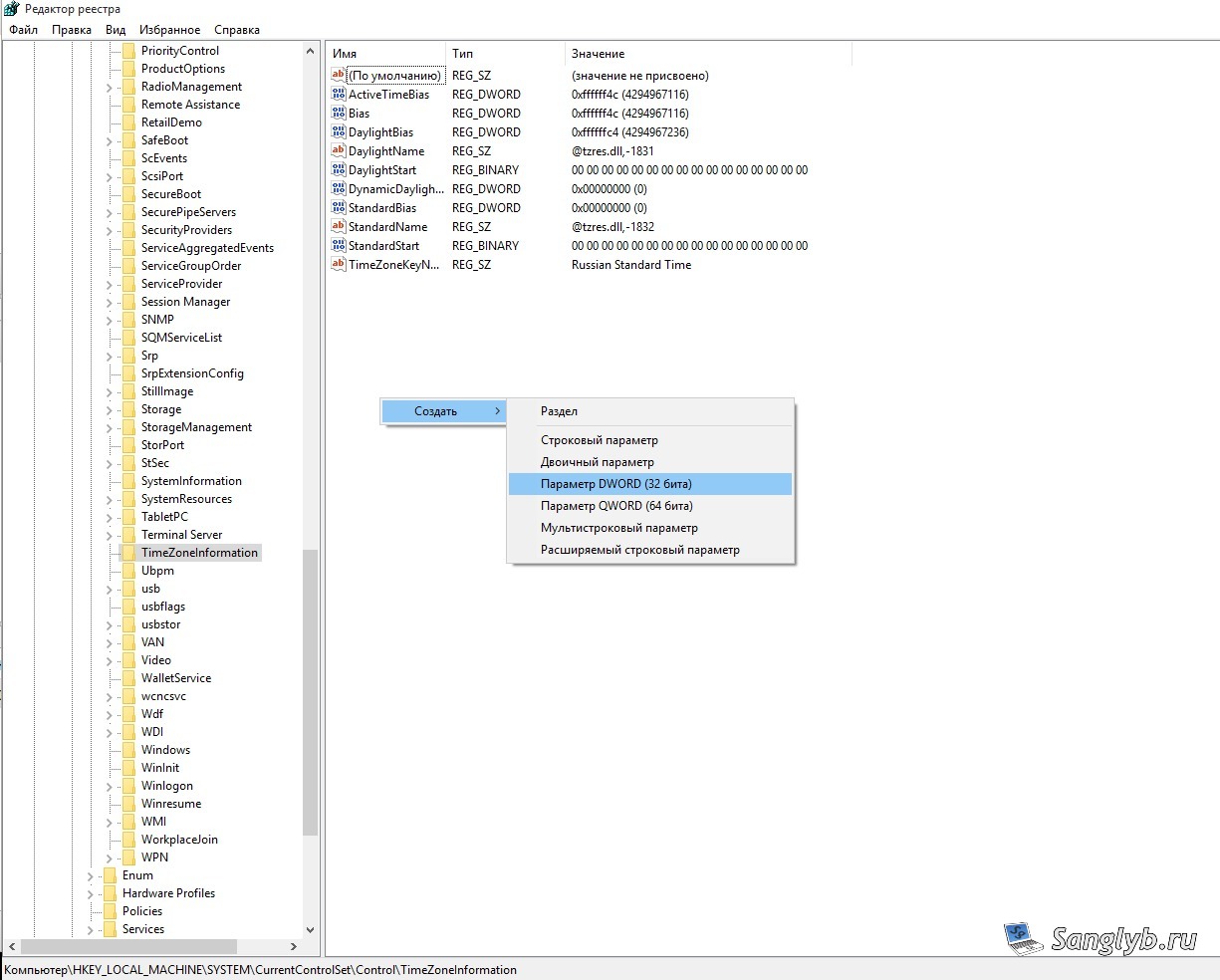
  1. Trudge over to HKEY_LOCAL_MACHINE\SYSTEM\CurrentControlSet\Control\TimeZoneInformation.
  2. Spot a blank space in the right pane? Right-click, opt for the new DWORD(32) parameter.

create new dword value in regedit

  1. Christen it as RealTimeIsUniversal.
  2. A double-click on the newbie, and then pencil in its value as 1.
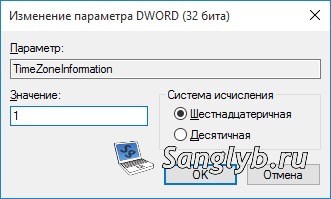
set value in regedit

  1. A system reboot, and voila! Your dual boot clock issues ought to vanish.

Posted on 20.01.201730.05.2024 by sanglyb

Post navigation

← Lenovo IdeaPad 700-15isk 5GHz WiFi Fix: Ubuntu Edition
Lenovo IdeaPad 700-15ISK Review and User Impressions →

Leave a Reply Cancel reply

Your email address will not be published. Required fields are marked *

Подписывайтесь

Youtube
vk
telegram
github
twitter
rss
  • Форум
  • Об авторе
  • Поддержать автора

Популярные записи

Новые записи

  • How to Extend an LVM Partition in Linux
  • SCCM Reporting Errors After Migrating from SQL Server 2016 to 2019
  • Problem Using PassFiltEx on Older CPUs
  • How to remove attachments from old calendar events in Exchange using a script
  • How to download and install Office 2024 LTSC

Архивы

  • 2026 (3)
  • 2025 (5)
  • 2024 (7)
  • 2023 (30)
  • 2022 (4)
  • 2020 (17)
  • 2017 (82)
  • 2016 (5)
© 2015-2026 www.mytechnote.ru
Использование материалов сайта возможно только с разрешения владельца или обязательна индексируемая, прямая, передающая вес ссылка на материал.