
In the modern, digital age, seamless access to global web resources is paramount. However, challenges arise: slow-loading pages, ISP restrictions, or unexpected downtimes. Today, we uncover the synergy between Tor and MikroTik in circumventing these hitches and supercharging your internet connectivity.
Leveraging VPS and Tor for a Turbocharged Connection
Amidst the rapid globalization and tech-centric era, relying on a Virtual Private Server (VPS) overseas can be your passport to swift, uninterrupted access. Tor, on the other hand, is your ticket to online anonymity and untraceable browsing.
But how do you harness these tools, especially when you’ve got a MikroTik router in play? Let’s dive deep.
1. Establishing the Groundwork on Ubuntu Server
For this tutorial, I anchored my setup on Ubuntu Server 16.04. However, nuances might arise with different OS variants.
a. Laying the Foundations:
Kickstart by installing essential software:
sudo apt-get update
sudo apt-get upgrade
sudo apt-get install tor
sudo apt-get install privoxy
b. Tweaking the Privoxy Configurations:
Access the configuration file:
sudo nano /etc/privoxy/configHere, modify the primary lines:
listen-address 192.168.1.10:8118
Remember to replace 192.168.1.10 with your server’s IP.
Activate transparent proxying with setting 1 to:
accept-intercepted-requests 1
And then append these lines to bridge Privoxy with the Tor proxy. Make attention to the dots at the end, they are important:
forward-socks5 / localhost:9050 .
forward-socks4 / localhost:9050 .
forward-socks4a / localhost:9050 .
c. Rejuvenating the Services:
Once configurations are tailored, restart your services:
/etc/init.d/tor restart
/etc/init.d/privoxy restart
Voila! Your server metamorphoses into a transparent proxy, optimizing your internet bandwidth. Verify this magic by reconfiguring your browser to use your server’s IP and the 8118 port at http proxy settings.
2. Mastering MikroTik for Optimized Proxy Handling:
Determined to extract the maximum juice from your MikroTik router? Follow along:
-
Router Protocol Settings:
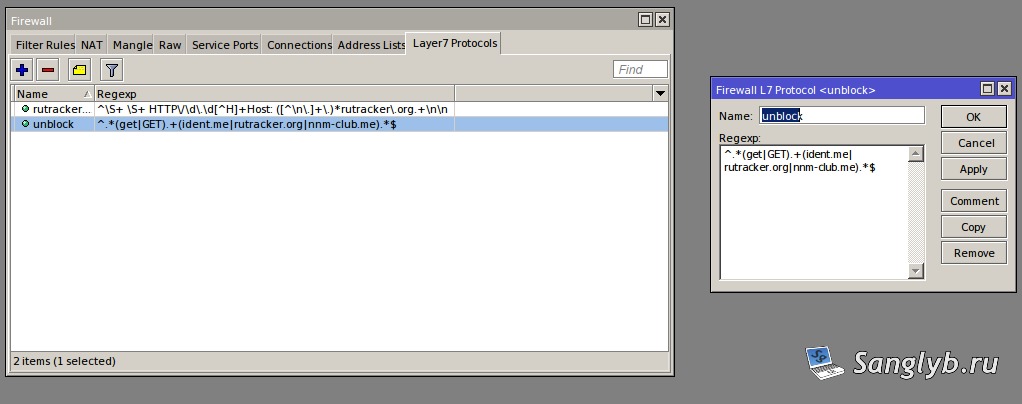
Commence with Winbox, steer to IP → Firewall → Layer7 Protocol.
Now, instantiate a new protocol. In the Regexp field, input:
^.*(get|GET).+(ident.me|example1.com|example2.com).*$
Swap out example1.com and example2.com with your domain preferences.
-
Setting up mangle:
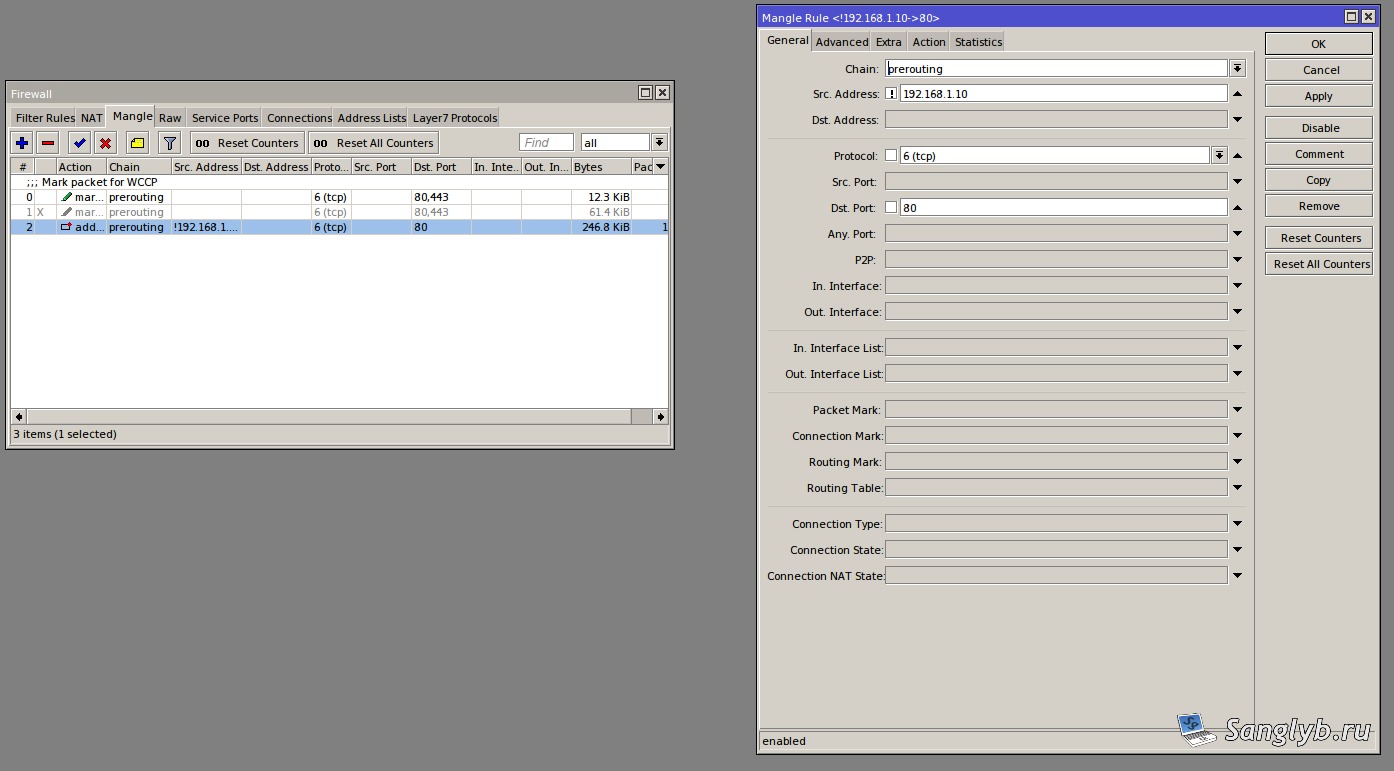
Establish a rule under the prerouting chain. Configure:
general:
Chain: prerouting Src. Address: !192.168.1.10 (your server’s IP) Protocol: 6 (tcp) Dst. Prot: 80
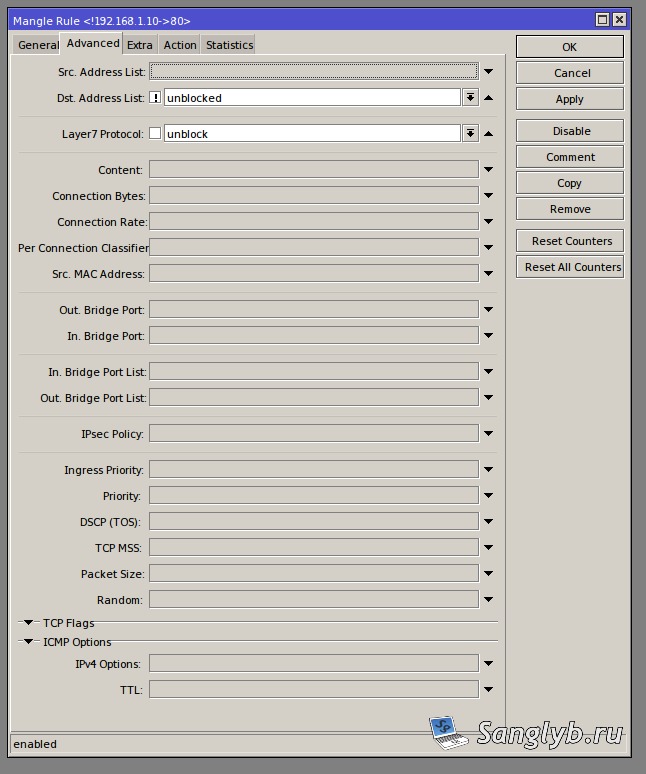
Advanced:
Dst. Address List: !optimized Layer7 Protocol: optimize_traffic
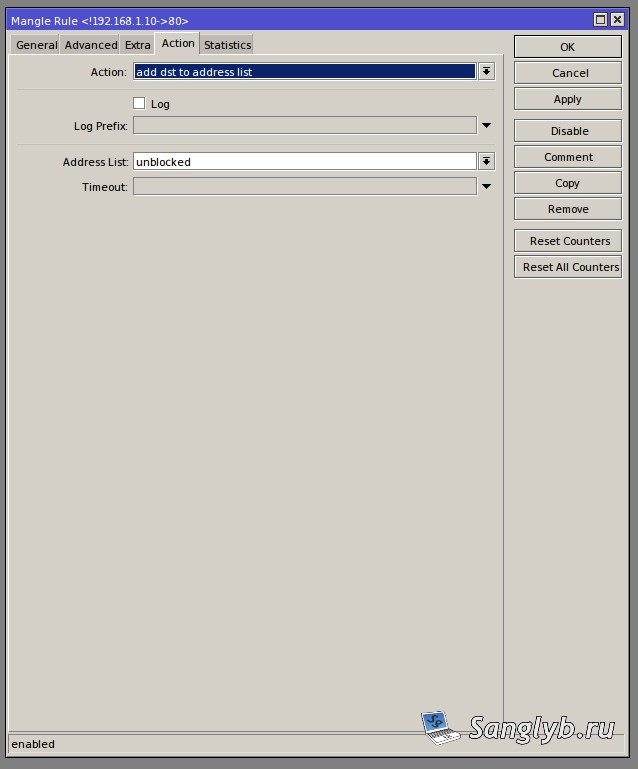
Action:
Action: add dst to address list Address List: optimized
-
Setting up NAT:
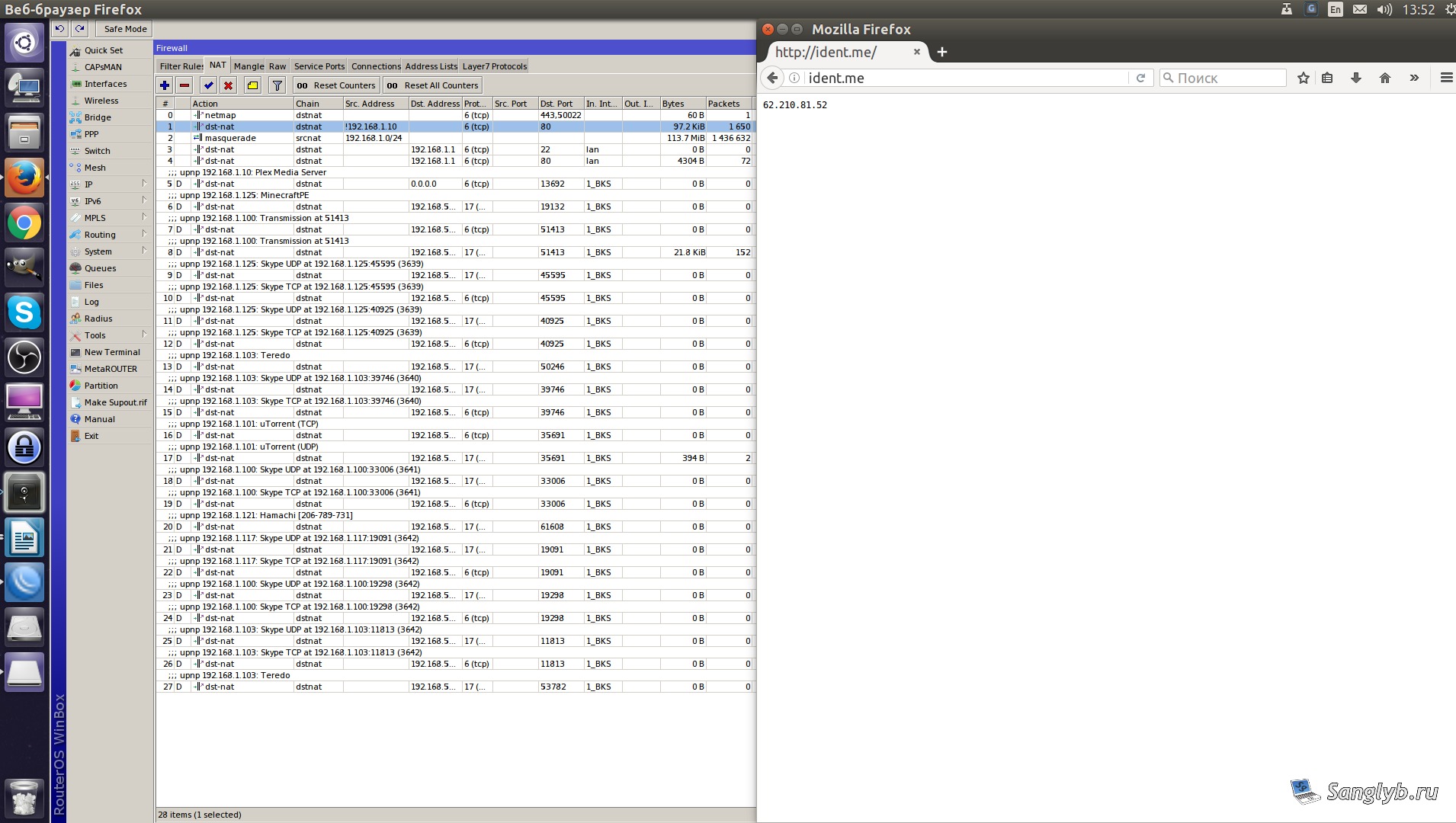
Add a rule under the nat tab with:
General:
Chain: dstnat Src. Address: !192.168.1.10 Protocol: 6 (tcp) Dst. Port: 80
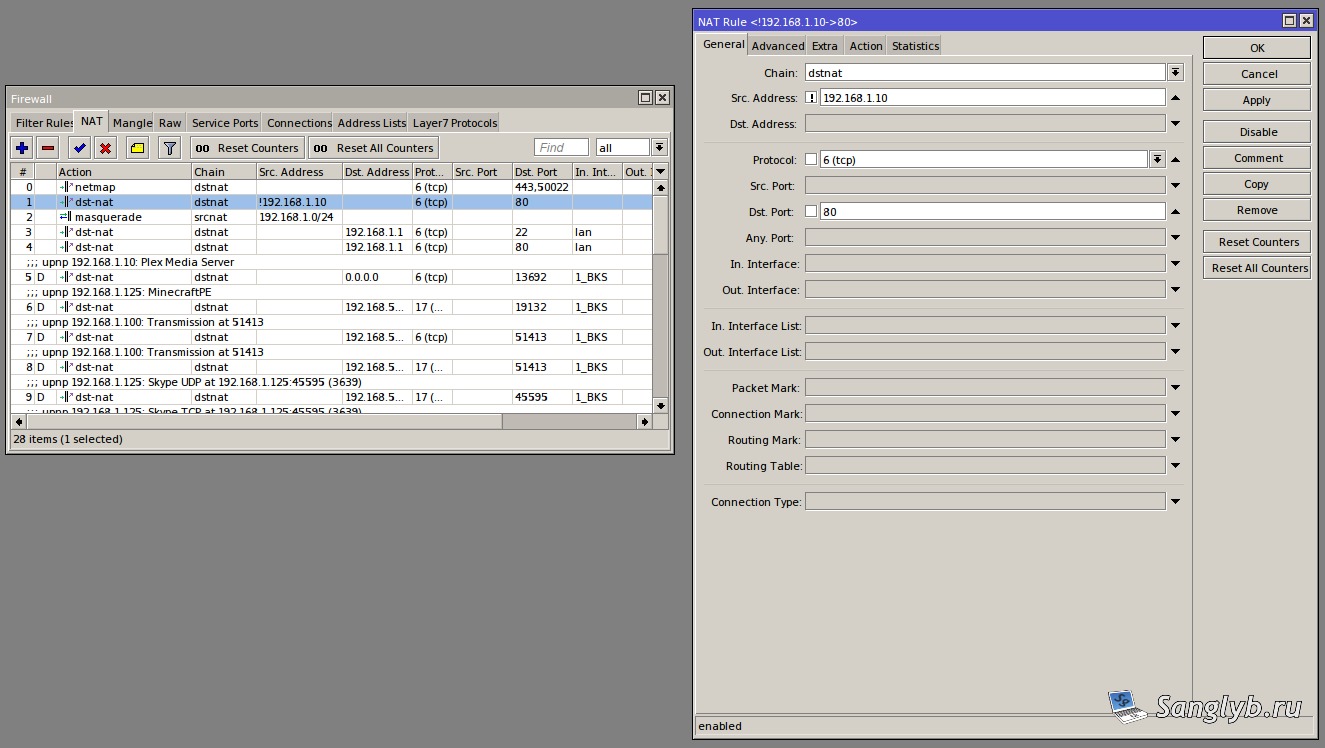
Advanced:
Dst. Address List: optimized
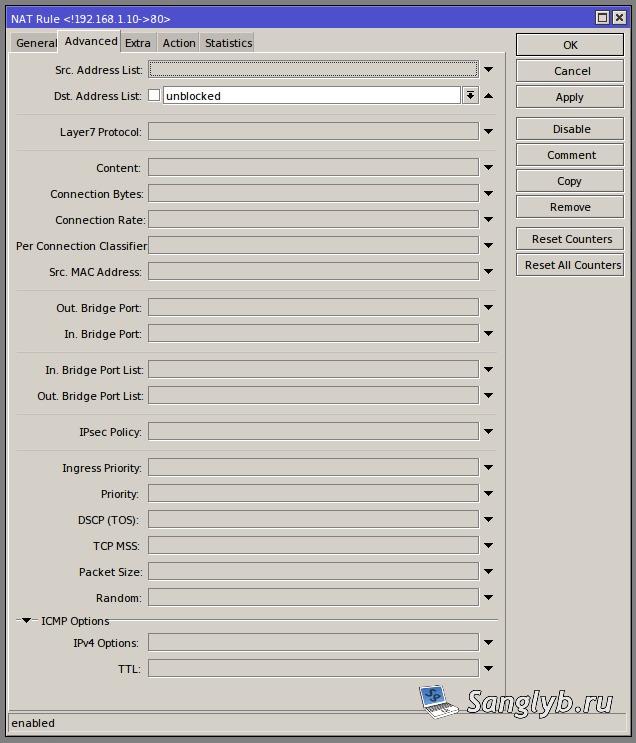
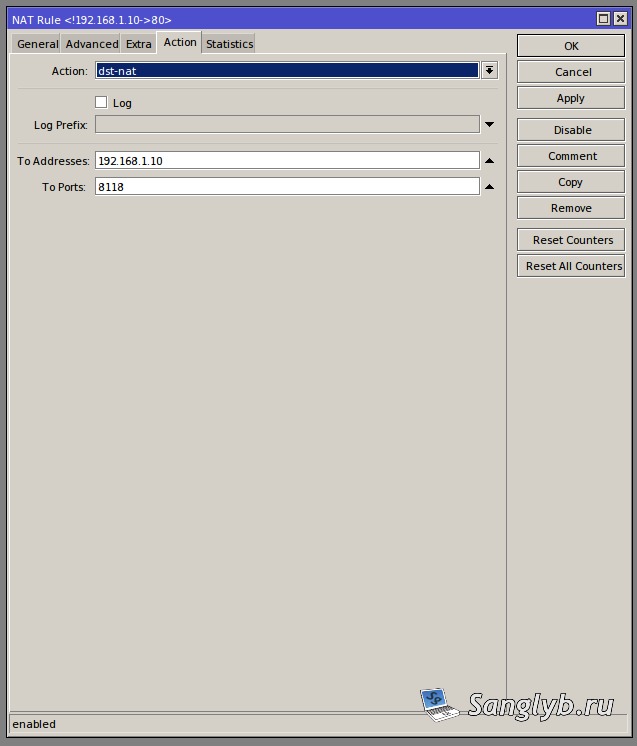
Action:
Action — dst-nat
To Addresses — 192.168.1.10
To Ports: 8118
- Live Test:
Post these configurations, navigate to ident.me to confirm the effectiveness of your setup.
The rule is turned off:
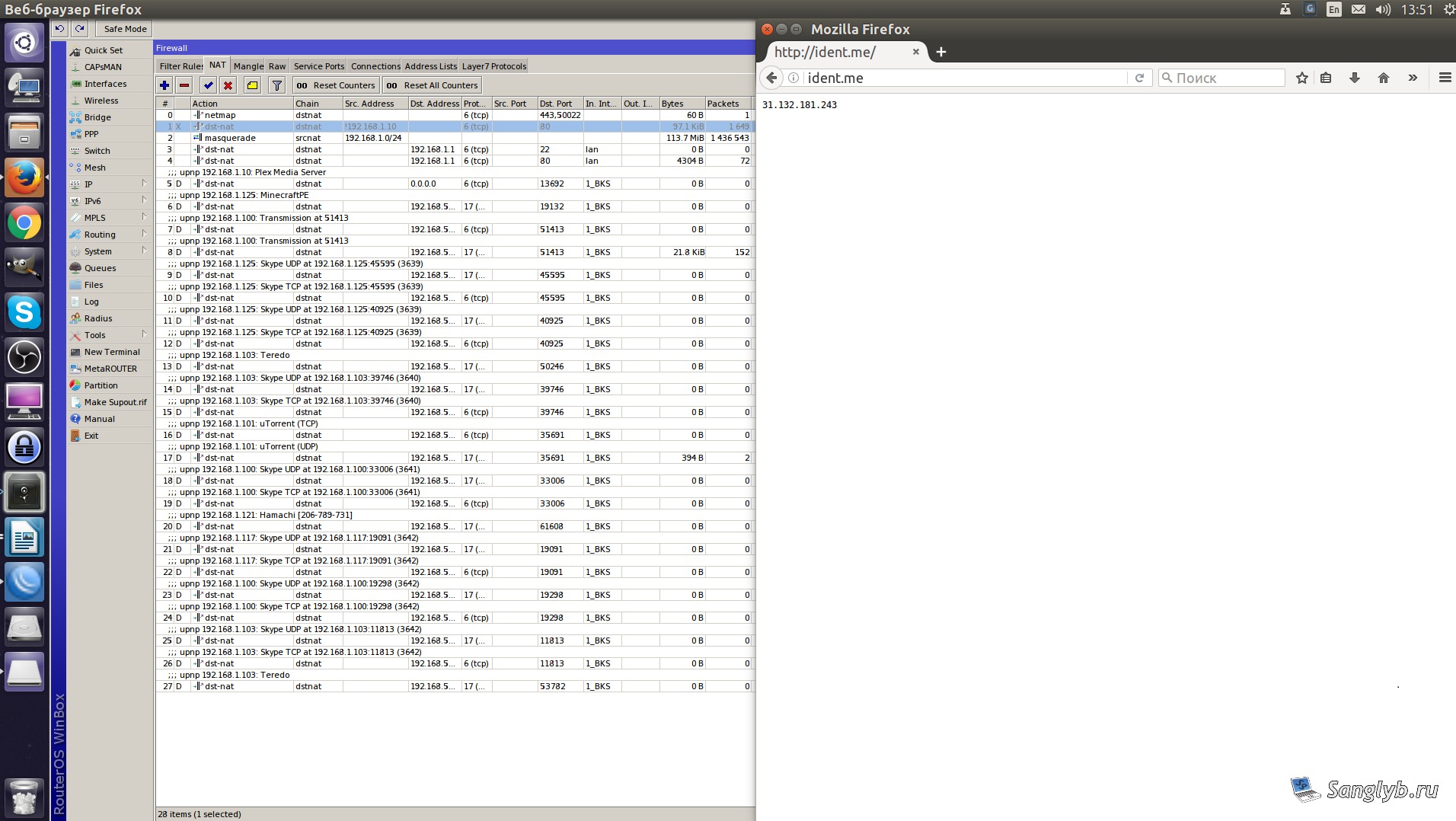
The rule is turned on:
Special Tweaks & Workarounds:
- Bumped into specific Tor exit nodes that dampen your speed? Customize your
/etc/tor/torrcconfiguration by appending
ExcludeExitNodes {RU}, {UA}, {BY}
to bypass selected nodes.
- Additionally, if you’ve grappled with sites like rutracker.org flagging “Request for blocked URL” errors, refine the
/etc/privoxy/user.actionfile with:
{-block \<br>}<br>/forum/tracker.php
Don’t forget to restart Privoxy post this tweak.
- If masquerade is set up on MikroTik to use the “outgoing” interface, pages for proxying in the Tor network might not open. Make sure that your internal network is specified in the src address.
With the help of Tor and MikroTik, you can not only bypass the restrictions of your Internet provider, but also speed up the connection, ensuring the anonymity of your sessions.